Do Wireless CarPlay Adapters Work Reliably? Pros, Limits, and Fit

Yes, wireless CarPlay adapters do work, but only if your car already has wired Apple CarPlay. They plug into your vehicle’s USB port and turn your wired CarPlay connection into a wireless one.
Wireless CarPlay adapters work by creating a short wireless link between your iPhone and your car’s existing wired CarPlay system. They are great for daily driving, but speed, connection time, audio delay, and compatibility can vary by vehicle and adapter quality.
I’m Brandon Walker, and I’ve spent a lot of time around road trip gear, car tech, detailing tools, and garage upgrades. Wireless CarPlay adapters are one of those small car accessories that sound simple, but they can be confusing when you first shop for one.
The big question is simple: do wireless CarPlay adapters work well enough to buy? In most cases, yes. But there are a few things I would check before spending money.
What Is a Wireless CarPlay Adapter?
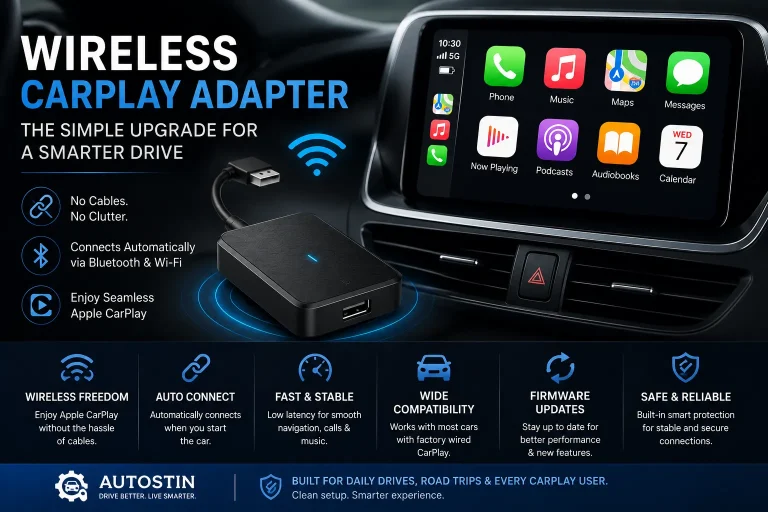
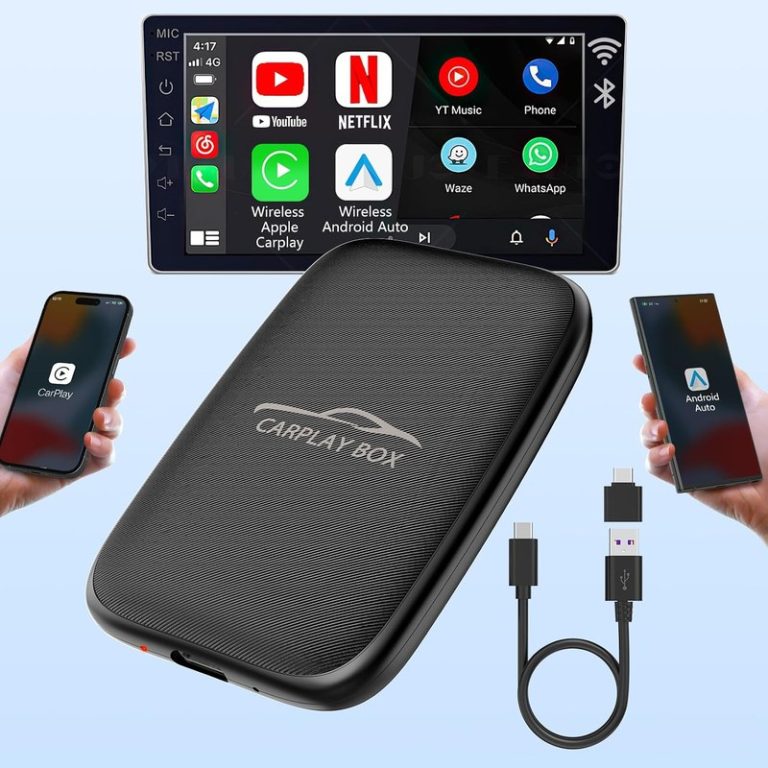
A wireless CarPlay adapter is a small device that plugs into your car’s USB CarPlay port. Once it is set up, your iPhone connects to the adapter wirelessly instead of using a cable.
Your car still thinks it is using normal wired CarPlay. The adapter sits in the middle and handles the wireless connection.
This is helpful if you want less cable clutter, faster daily entry, and a cleaner cabin. I usually place the adapter near the USB port and leave it there. For more car tech upgrades like this, I also like checking our car electronics section.
How Do Wireless CarPlay Adapters Work?
The adapter plugs into your car’s wired CarPlay USB port. Then your iPhone connects to the adapter using Bluetooth for setup and Wi-Fi for data.
That is why your phone can show maps, music, calls, and messages on your factory screen without a cable.
Connect the adapter to the same USB port you normally use for wired CarPlay.
Let the infotainment system fully boot before pairing your iPhone.
Use Bluetooth first. The adapter then creates the wireless CarPlay link.
Check Apple Maps, phone calls, music apps, and Siri before you drive away.
Do Wireless CarPlay Adapters Work in Every Car?
No, they do not work in every car. This is the most important part.
A wireless CarPlay adapter usually requires a vehicle that already has factory wired Apple CarPlay. If your car does not have CarPlay at all, the adapter will not magically add it.
Before buying, confirm that your vehicle supports wired Apple CarPlay through USB. Most wireless CarPlay adapters do not work with cars that only have Bluetooth audio, older basic radios, or Android-only infotainment systems.
Apple explains that CarPlay works with supported vehicles and iPhone models, and it is smart to check your setup before buying any adapter. You can review Apple CarPlay basics through Apple’s CarPlay support guide.
Wireless CarPlay Adapter Compatibility Table
| Vehicle Setup | Will an Adapter Work? | What to Know |
|---|---|---|
| Factory wired Apple CarPlay | Usually yes | This is the best match for most wireless CarPlay adapters. |
| Factory wireless Apple CarPlay | Not needed | Your car already has the feature built in. |
| Bluetooth audio only | No | Bluetooth music is not the same as Apple CarPlay. |
| Aftermarket head unit with wired CarPlay | Often yes | Check the adapter and head unit compatibility list first. |
| Older USB media port only | No | A USB music port does not mean the car supports CarPlay. |
Why Car Owners Like Wireless CarPlay Adapters
The biggest benefit is convenience. You get in, start the car, and CarPlay connects without plugging in a cable.
That sounds small, but it makes daily driving easier. It also keeps your center console cleaner. If you care about neat cabins, pair this upgrade with smart storage from our interior gear picks.
I also like wireless CarPlay for short trips. When I am only driving to the store, I do not always want to plug in my phone. The adapter saves that step.
In my experience, the best wireless CarPlay adapters feel great once connected, but they are not always instant. A short delay after startup is normal. If you expect it to connect the exact second you turn the key, you may be disappointed.
Pros and Cons of Wireless CarPlay Adapters
- No cable needed for daily CarPlay use
- Keeps the cabin cleaner
- Great for short drives and errands
- Works with many cars that already have wired CarPlay
- Easy setup in most vehicles
- Not compatible with every vehicle
- Startup can take a few seconds
- Some adapters may lag during calls or music
- Your phone battery may drain faster
- Cheap adapters can feel unstable
Feature Comparison: Wired CarPlay vs Wireless Adapter
| Feature | Wired CarPlay | Wireless CarPlay Adapter |
|---|---|---|
| Connection | USB cable | Bluetooth and Wi-Fi link |
| Setup | Plug in each time | Pair once, then auto-connect |
| Charging | Charges while connected | Does not charge unless you use a separate charger |
| Speed | Usually faster | Can have a short startup delay |
| Cabin look | More cable clutter | Cleaner setup |
What Specs Matter Most?
Do not buy only because the listing says “fast” or “new model.” Look at the real details.
The best wireless CarPlay adapter for your car should have strong compatibility, stable firmware, fast reconnect time, and simple update support.
Most wireless CarPlay adapters use Wi-Fi for the main CarPlay data stream. Bluetooth is usually used to help start the connection. That is why the adapter may show up in both Bluetooth and Wi-Fi settings.
Before You Buy: Checklist
- Check that your car already has wired Apple CarPlay.
- Read the adapter’s vehicle compatibility list.
- Make sure your iPhone supports Apple CarPlay.
- Look for firmware update support.
- Check reviews from drivers with the same vehicle brand.
- Choose a seller with a clear return policy.
How Much Do Wireless CarPlay Adapters Cost?
Most wireless CarPlay adapters are not very expensive compared with a full head unit upgrade. Still, price matters.
I would avoid the cheapest random adapter if your car is your daily driver. A stable connection is worth paying a little more for.
Install Tips for Wireless CarPlay Adapters
- Use the main USB port that already launches wired CarPlay.
- Delete old Bluetooth pairings if the first setup fails.
- Let the car screen fully boot before judging connection speed.
- Update the adapter firmware if the brand provides updates.
- Mount the adapter where it will not bend the USB cable.
- Use a separate charger if your phone battery drains on long trips.
If your adapter keeps disconnecting, try a short high-quality USB cable between the car and the adapter. A weak or loose cable can cause random dropouts.
Set up the adapter while parked. Do not pair devices, adjust settings, or troubleshoot CarPlay while driving. Driver distraction is a real safety risk.
The NHTSA distracted driving guide is a good reminder that even simple screen tasks can pull attention away from the road.
Common Problems and Simple Fixes
Wireless CarPlay adapters are useful, but they are not perfect. Most problems come from compatibility, weak cables, old firmware, or phone settings.
| Problem | Likely Cause | Simple Fix |
|---|---|---|
| Adapter will not connect | Wrong USB port or unsupported car | Use the wired CarPlay USB port and check compatibility. |
| Music delay | Wireless data lag | Restart the adapter and update firmware if possible. |
| Calls sound poor | Bluetooth conflict | Remove old pairings and reconnect from fresh settings. |
| CarPlay drops often | Loose cable or weak adapter | Try a better USB cable or a higher-quality adapter. |
| Phone battery drains | No wired charging | Use a separate fast car charger. |
Wireless CarPlay can use more phone battery than wired CarPlay because your iPhone is sending data wirelessly while also running maps, music, and calls.
Are Wireless CarPlay Adapters Good for Road Trips?
Yes, but I still like keeping a charging cable in the car. Wireless CarPlay is great for maps, podcasts, and music. But on a long drive, your phone battery can drop fast.
If you take road trips often, add a good USB-C charger, a short cable, and a small organizer. You can also check our emergency kit section before longer drives.
AAA also shares useful road trip and driver safety advice, which is worth reading if you spend a lot of time behind the wheel. I like using resources from AAA driver safety when planning longer trips.
Who Should Buy a Wireless CarPlay Adapter?
A wireless CarPlay adapter makes sense if your car already has wired CarPlay and you use it every day.
It is also a smart upgrade if you hate cable clutter, take short daily trips, or share the car with another iPhone user.
It may not be worth it if your wired CarPlay already feels fine, you always charge your phone in the car, or your vehicle has known adapter issues.
My ideal pick is a mid-range wireless CarPlay adapter with strong vehicle compatibility, easy firmware updates, and a return policy. I would rather buy a stable adapter than chase the cheapest price.
Do’s and Don’ts
- Do check that your car has wired Apple CarPlay first.
- Do read reviews from owners with the same vehicle.
- Do keep a charging cable for long drives.
- Do update the adapter firmware when available.
- Don’t buy one for a car that only has Bluetooth audio.
- Don’t expect zero delay every time.
- Don’t troubleshoot while driving.
- Don’t ignore return policy details.
Are Wireless CarPlay Adapters Worth It?
For many drivers, yes. A wireless CarPlay adapter can make an older wired CarPlay setup feel newer and cleaner.
The key is buying the right one for your vehicle. If the adapter is compatible and stable, it becomes one of those upgrades you stop thinking about because it just works.
If you also care about a clean cabin and car care setup, check our detailing and care section for more simple upgrades that make daily driving better.
- Wireless CarPlay adapters do work when paired with a compatible wired CarPlay vehicle.
- They are best for drivers who want less cable clutter and easier daily use.
- Connection speed and reliability depend on adapter quality, car model, and firmware.
- They do not add CarPlay to cars that never had CarPlay support.
Wireless CarPlay adapters work well for many USA drivers, but compatibility is everything. If your car already has wired Apple CarPlay, a good adapter can make your setup cleaner and easier to use every day.
FAQ: Do Wireless CarPlay Adapters Work?
Yes, they work in many cars that already have wired Apple CarPlay. They plug into the USB CarPlay port and connect your iPhone wirelessly.
No. Most adapters only convert wired CarPlay to wireless CarPlay. They usually do not add CarPlay to a car that never had it.
Some adapters have a small delay when starting, changing songs, or making calls. Better adapters usually feel smoother and more stable.
Yes, it can use more battery than wired CarPlay because your phone is not charging through the adapter. Use a separate charger on long drives.
Common causes include weak USB cables, old firmware, Bluetooth conflicts, or poor vehicle compatibility. Try updating the adapter and reconnecting your phone.
Wired CarPlay is usually faster and charges your phone. Wireless CarPlay is more convenient and keeps the cabin cleaner.
Check wired CarPlay support, vehicle compatibility, iPhone support, firmware updates, reviews, and the seller’s return policy.
Conclusion
So, do wireless CarPlay adapters work? Yes, they do, as long as your car already supports wired Apple CarPlay.
I recommend buying one if you want a cleaner cabin, faster daily entry, and less cable hassle. Just do your compatibility homework first. Check your car, read real owner reviews, and keep safety in mind during setup.
For most drivers, a good wireless CarPlay adapter is a simple upgrade that makes an older infotainment system feel more modern without replacing the whole head unit.