
Do Wireless CarPlay Adapters Drain Battery When Car Is Off?

Most wireless CarPlay adapters do not drain a healthy car battery when the vehicle shuts off power to the USB port. But if your USB port stays live after the car is off, the adapter can keep drawing a small amount of power and may drain the battery over time.
Wireless CarPlay adapters can drain a car battery only if they stay powered after the engine is off. In most modern cars, the USB port shuts down with the ignition, so the adapter stops working and battery drain is not a real problem.
I’m Brandon Walker, and I’ve used wireless CarPlay adapters in daily drivers, road trip cars, and older vehicles with wired CarPlay. I like them because they make the cabin cleaner. No cable every time. No messy center console.
But the battery drain question is fair. Any plugged-in car accessory can pull power if the port stays active. So in this guide, I’ll explain how it works, how to test your car, what warning signs to watch for, and how to avoid battery problems.
What Is a Wireless CarPlay Adapter?
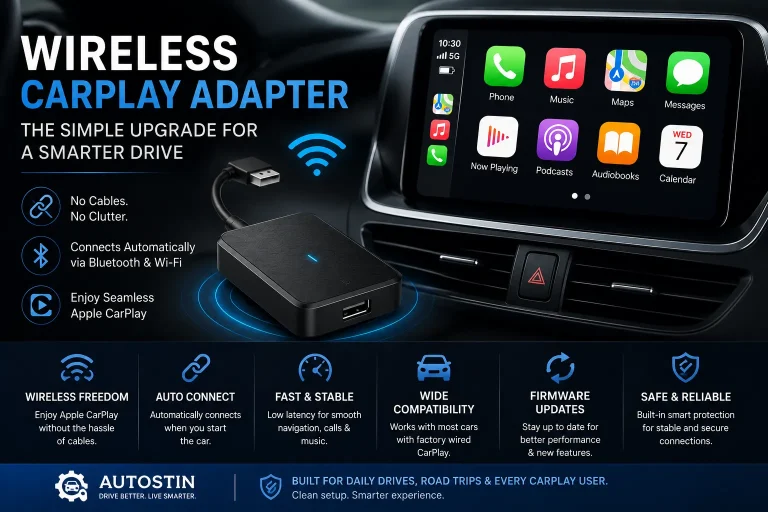
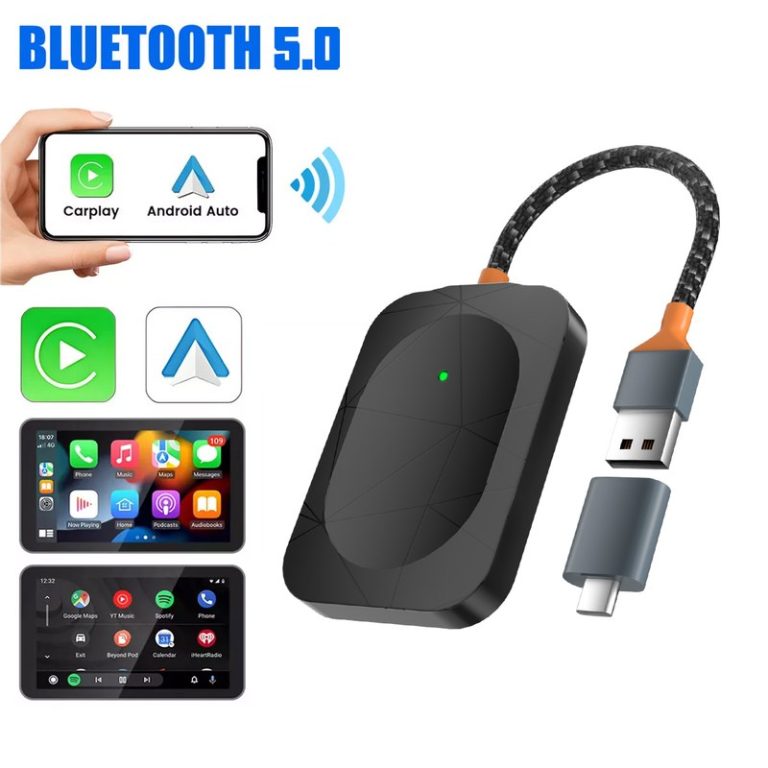
A wireless CarPlay adapter is a small device that plugs into your car’s USB port. It turns factory wired Apple CarPlay into wireless Apple CarPlay.
Your iPhone first connects by Bluetooth. Then the adapter uses Wi-Fi for the main CarPlay connection. That lets you use maps, music, calls, and messages without plugging your phone in every drive.
If you are new to these devices, our car tech guide is a good place to learn about simple in-car electronics and smart upgrades.
Many cars keep some electronics awake for a short time after shutdown. That is why a USB port may stay powered for a few minutes even after you turn the car off.
Do Wireless CarPlay Adapters Drain Car Battery?
The honest answer is: usually no, but sometimes yes.
A wireless CarPlay adapter needs power to run. It gets that power from your car’s USB port. If the USB port turns off when the car turns off, the adapter shuts down too. In that case, it should not drain your car battery while parked.
If the USB port stays powered all the time, the adapter may keep running. It may keep broadcasting Wi-Fi, waiting for your phone, or staying in standby mode. That small power draw can add up if the car sits for a long time.
How Wireless CarPlay Adapter Power Works
Most wireless CarPlay adapters do not have their own battery. They run from the car’s USB power.
When you start the vehicle, the USB port wakes the adapter. The adapter boots up, pairs with your iPhone, and starts wireless CarPlay on your infotainment screen.
When you turn off the vehicle, one of three things usually happens:
- The USB port turns off right away.
- The USB port stays on for a few minutes, then turns off.
- The USB port stays live all the time.
The third case is where battery drain can happen. It is not always common, but I have seen it in some cars, trucks, and aftermarket setups.
What You’ll Need to Test Battery Drain
You do not need a full mechanic setup for a basic check. A simple light check and phone Wi-Fi check can tell you a lot.
A multimeter gives better detail, but beginners can still run the simple test below.
How to Check If Your Wireless CarPlay Adapter Drains Battery
Here is the simple test I use first. It is not a lab test, but it works well for everyday drivers.
Connect the wireless CarPlay adapter to the USB port you normally use for wired CarPlay. Let it start fully.
Let your iPhone connect. Make sure the adapter is working like normal before you test power behavior.
Shut the vehicle down fully. Open and close the driver door if your car normally turns accessories off that way.
If your adapter has an LED light, check if it turns off. Some adapters stay on for a few minutes, so wait at least 10 minutes.
Stand near the car and open Wi-Fi settings. If the adapter network still appears long after shutdown, the adapter may still be powered.
Some cars delay shutdown. If the adapter is still lit or visible after 30 minutes, your USB port may stay live.
If your adapter light stays on after the car is locked for 30 minutes, unplug it overnight until you know your battery is safe.
Battery Drain Risk by Vehicle Type
Battery drain risk is not the same in every car. It depends on the car’s USB power design, battery health, driving pattern, and adapter behavior.
| Vehicle Setup | USB Power Behavior | Battery Drain Risk | What I Would Do |
|---|---|---|---|
| Modern car with switched USB | USB turns off with ignition | Low | Leave the adapter plugged in. |
| Car with delayed accessory power | USB stays on for a few minutes | Low to medium | Test after 30 minutes. |
| Vehicle with always-on USB | USB stays live after shutdown | Medium to high | Unplug the adapter when parked. |
| Older car with weak battery | Varies by setup | Higher | Test carefully and check battery health. |
| Aftermarket head unit | Depends on wiring | Medium | Confirm accessory wiring is correct. |
Why Battery Drain Matters
A healthy battery can handle small loads for a while. But if your battery is old, weak, or already low, even a small parasitic draw can cause problems.
This matters more if you:
- Drive short trips only.
- Leave the car parked for days.
- Live in cold weather.
- Use an older battery.
- Have other accessories plugged in.
- Use an aftermarket stereo or USB hub.
For safety and driving habits, I like checking trusted resources like the NHTSA distracted driving resource and AAA driving safety guidance. Good car tech should help you drive with less distraction, not create new problems.
In one older SUV I tested, the adapter stayed lit after shutdown because the USB port kept power. It did not kill the battery overnight, but I would not leave it plugged in for a full week at the airport.
Signs Your Wireless CarPlay Adapter May Be Draining the Battery
If your adapter is causing or adding to battery drain, you may see small warning signs before the car fully fails to start.
- The car cranks slower than normal.
- The battery warning light appears.
- The adapter light stays on overnight.
- Your phone still sees the adapter Wi-Fi after the car is off.
- You hear the infotainment system wake up randomly.
- The car starts fine after unplugging the adapter overnight.
- The battery dies after sitting for two or three days.
Do not ignore repeated slow starts. A weak battery can leave you stranded. If your car struggles to start, test the battery and charging system before blaming only the adapter.
Do’s and Don’ts for Avoiding Battery Drain
- Test if your USB port turns off.
- Unplug the adapter for long parking periods.
- Update adapter firmware when needed.
- Keep your car battery healthy.
- Use the correct factory CarPlay USB port.
- Check aftermarket wiring if the port stays live.
- Do not leave the adapter plugged in for weeks without testing.
- Do not use a cheap USB hub for CarPlay power.
- Do not ignore an adapter that stays hot after shutdown.
- Do not assume every car cuts USB power.
- Do not blame the adapter before checking battery age.
- Do not test power behavior while driving.
Wireless CarPlay Adapter Spec Sheet
Specs vary by brand, but most wireless CarPlay adapters share the same basic power and connection setup.
Compatibility: Why Your Car Matters More Than the Adapter
Most wireless CarPlay adapters need a car that already has wired Apple CarPlay. They also work best when plugged into the factory CarPlay USB port, not a charge-only USB port.
The adapter itself is only one piece of the setup. Your car controls when the USB port gets power. Your infotainment system controls how CarPlay starts. Your iPhone controls the connection.
That is why two drivers can use the same adapter and get different results. One car shuts the USB port off right away. Another keeps it powered all night.
If you want to confirm CarPlay setup basics, Apple’s CarPlay setup guide is a useful starting point.
How Much Power Does a Wireless CarPlay Adapter Use?
Most wireless CarPlay adapters use a small amount of power. The exact amount depends on the chip, Wi-Fi activity, standby mode, and firmware.
In normal driving, that small draw does not matter because the alternator is charging the battery. The issue is parked time.
If the adapter stays on for hours or days after shutdown, it becomes one more parasitic load. Add an old battery, cold weather, a dash cam, and short trips, and the risk grows.
A small power draw is not always a problem by itself. Battery drain usually becomes a problem when the vehicle sits, the battery is weak, or several accessories keep drawing power at the same time.
Problem vs Cause vs Solution
| Problem | Possible Cause | Best Solution |
|---|---|---|
| Adapter light stays on overnight | USB port has constant power | Unplug adapter or use a switched power solution. |
| Car battery dies after sitting | Weak battery or parasitic draw | Test battery and check all plugged-in accessories. |
| Slow crank in the morning | Battery is low or aging | Charge and test the battery. |
| Adapter feels warm after shutdown | Adapter is still active | Remove it when parked for long periods. |
| CarPlay starts randomly | Infotainment or USB port stays awake | Check vehicle settings and firmware updates. |
| Adapter disconnects while driving | Firmware, USB power, or signal issue | Update firmware and test a better USB cable. |
Budget Estimate: Fixing Battery Drain Concerns
You may not need to spend anything. Start with testing your USB port and unplugging the adapter when parked.
Before buying a new adapter, test whether your USB port stays powered after shutdown. If the port turns off, battery drain is unlikely. If it stays live, unplug the adapter during long parking periods.
Install Tips to Reduce Battery Drain Risk
- Plug the adapter into the factory wired CarPlay USB port.
- Avoid using cheap USB splitters or unpowered hubs.
- Keep the adapter in a spot with airflow.
- Update firmware if the adapter has standby or sleep mode fixes.
- Unplug the adapter before leaving the car parked for several days.
- Do not leave other USB accessories plugged in if you are chasing battery drain.
- Use a short, good-quality USB cable if the adapter has a removable lead.
If you carry extra cables, battery tools, or road trip tech, our tools and garage gear guide can help you build a cleaner setup.
What About Dash Cams, Chargers, and Other Accessories?
A wireless CarPlay adapter may not be the only thing drawing power. Many drivers also leave phone chargers, dash cams, GPS units, Bluetooth receivers, and USB lights plugged in.
One small device may not hurt. But several small devices can add up.
If you already keep emergency gear in your vehicle, it is worth checking our safety gear guide so your car kit helps you instead of creating more electrical clutter.
Accessory Battery Drain Comparison
| Accessory | Usually Safe When Parked? | Battery Drain Risk | Simple Rule |
|---|---|---|---|
| Wireless CarPlay adapter | Yes, if USB turns off | Low to medium | Test the USB port. |
| Phone charger | Usually yes | Low | Unplug if the light stays on. |
| Dash cam | Depends on parking mode | Medium to high | Use a proper hardwire kit. |
| Bluetooth FM transmitter | Depends on 12V socket | Medium | Check if the socket stays live. |
| USB hub | Depends on build quality | Medium | Avoid cheap hubs for car tech. |
When Should You Unplug Your Wireless CarPlay Adapter?
You do not need to unplug it every time if your USB port shuts off. But I would unplug it in some cases.
- You are parking at the airport for several days.
- Your car battery is more than three years old.
- The adapter light stays on after the car is locked.
- You drive only short trips.
- You live in very cold weather.
- You already had a dead battery recently.
For more car buying and ownership advice, Consumer Reports car coverage can be useful when you want broader reliability and maintenance guidance.
What If Your Battery Dies After Installing an Adapter?
Do not blame the adapter right away. It may be part of the problem, but it may not be the main cause.
Here is how I would troubleshoot it:
- Fully charge the battery.
- Unplug the wireless CarPlay adapter overnight.
- Check if the car starts better the next morning.
- Test the battery health.
- Check if the USB port stays powered after shutdown.
- Look for other plugged-in accessories.
- Ask a mechanic to test parasitic draw if the problem continues.
If the battery still dies with the adapter unplugged, the problem is likely somewhere else.
FAQ: Wireless CarPlay Adapters and Car Battery Drain
Most do not drain the battery if the USB port turns off with the car. If the USB port stays powered after shutdown, the adapter can slowly drain the battery.
Yes, if your car shuts off power to the USB port. If the adapter light stays on after the car is off, unplug it during long parking periods.
Turn the car off, lock it, and wait 10 to 30 minutes. If the adapter light stays on or its Wi-Fi still appears on your phone, the port may still have power.
It usually will not drain a healthy battery overnight. But if your battery is weak or the USB port stays live, it can add to battery drain risk.
Only if the adapter still receives power from the USB port. If the car cuts USB power, the adapter shuts off and stops drawing power.
A faulty adapter or one that never sleeps can contribute to battery drain, especially if the USB port is always live. Battery age and other accessories also matter.
Yes, that is a smart move. If the car will sit for several days, unplug the adapter to remove one possible battery drain source.
- Wireless CarPlay adapters are usually safe for battery life when the USB port shuts off.
- Battery drain risk rises when the USB port stays powered after the car is off.
- A weak battery, short trips, cold weather, and extra accessories can make the issue worse.
- The easiest fix is to test the USB port and unplug the adapter during long parking periods.
Wireless CarPlay adapters do not normally drain a healthy car battery, but they can if your USB port stays live after shutdown. Test your port, watch the adapter light, and unplug it when parking for several days.
Conclusion
So, do wireless CarPlay adapters drain car battery? In most cars, no. The adapter shuts off when the USB port shuts off. That makes it safe to leave plugged in during normal daily use.
The risk starts when your USB port stays powered after the vehicle is off. If the adapter light stays on or your phone still sees its Wi-Fi later, unplug it when the car sits.
My practical recommendation is simple. Test your car once. If the adapter shuts down, enjoy the wireless setup. If it stays awake, unplug it overnight or during long parking. That small habit can save you from a dead battery and a bad morning.

One Comment