
What Is a Wireless CarPlay Adapter? Compatibility Basics

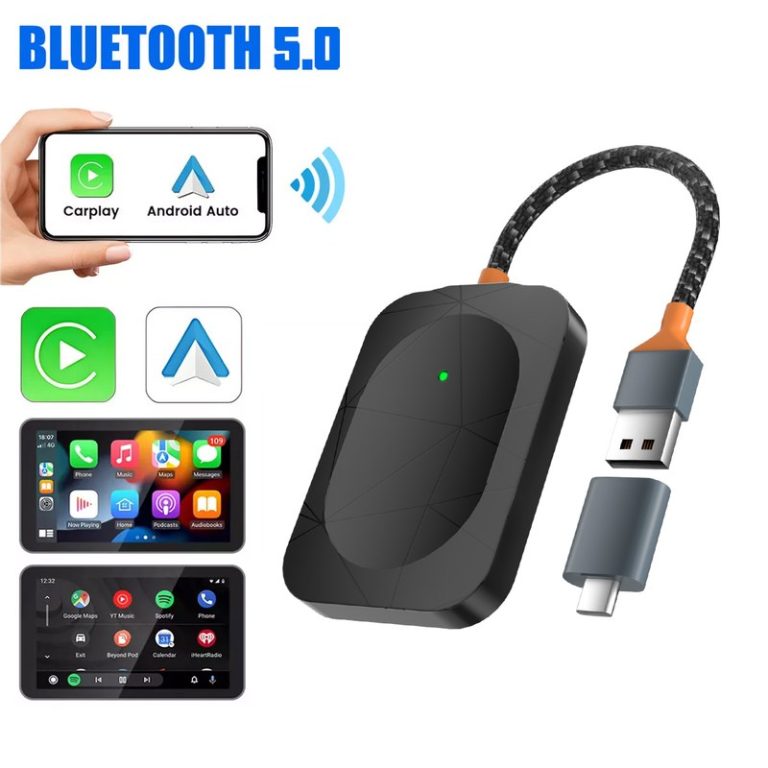
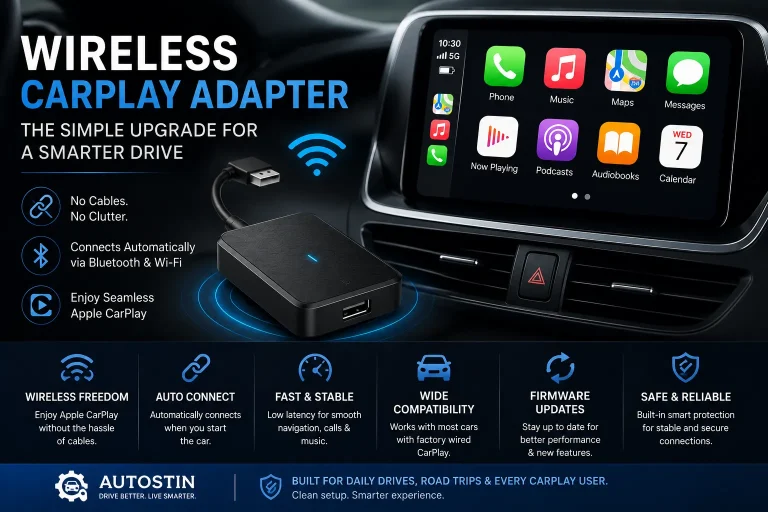
A wireless CarPlay adapter is a small plug-in device that turns factory wired Apple CarPlay into wireless CarPlay. It connects to your car’s USB port, then links to your iPhone with Bluetooth and Wi-Fi so you can use maps, music, calls, and messages without plugging in every time.
A wireless CarPlay adapter is made for cars that already have wired Apple CarPlay. It does not usually add CarPlay to a car that never had it. For many drivers, it is a simple comfort upgrade that makes daily driving cleaner and easier.
I’m Brandon Walker, and I like car tech that makes life easier without making the dashboard feel like a science project. I have used wired CarPlay for years on road trips, grocery runs, and long highway drives. It works great, but plugging in the phone every time gets old fast.
That is where a wireless CarPlay adapter comes in. It is one of those small car accessories that does not look exciting at first. But once it works well, you may wonder why your car did not come that way from the factory.
What Is a Wireless CarPlay Adapter?
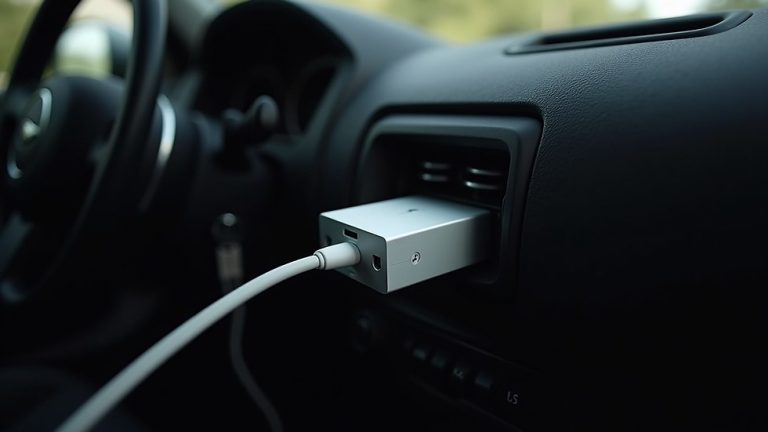
A wireless CarPlay adapter is a small device that lets your iPhone connect to Apple CarPlay without a cable. It usually plugs into your car’s USB-A or USB-C port. That is the same port you would normally use for wired CarPlay.
The adapter acts like a bridge between your car and your iPhone. Your car thinks the adapter is the wired CarPlay device. Your iPhone connects to the adapter wirelessly.
In plain English, it removes the cable from the CarPlay setup. You still use your car’s built-in screen, steering wheel controls, factory microphone, and audio system.
For more simple car electronics guides, I also recommend checking our car electronics section. Wireless CarPlay adapters fit right into that group because they are small, practical, and useful for daily driving.
What Does a Wireless CarPlay Adapter Do?
A wireless CarPlay adapter lets you use Apple CarPlay without plugging your iPhone into the dashboard every time. Once it is set up, your phone should connect on its own when you start the vehicle.
With CarPlay, you can use apps like Apple Maps, Google Maps, Waze, Spotify, Apple Music, Podcasts, phone calls, and messages from the car screen.
When used the right way, this can help keep your setup cleaner. No loose cable. No phone sliding around. No worn-out charging cord near the center console.
For most drivers, I would look for a wireless CarPlay adapter that supports fast auto-connect, USB-C and USB-A options, firmware updates, and clear vehicle compatibility. The best adapter is not always the most expensive one. The best one is the one that works smoothly with your exact car and iPhone.
How Does a Wireless CarPlay Adapter Work?
The adapter uses two wireless connections. Bluetooth usually starts the handshake. Wi-Fi handles the main data connection after that.
This matters because CarPlay needs more data than a normal Bluetooth audio call. Maps, album art, app screens, voice prompts, and touch commands all need a stronger link. That is why wireless CarPlay depends on Wi-Fi, not Bluetooth alone.
Many people think wireless CarPlay runs only on Bluetooth. It does not. Bluetooth helps start the link, but Wi-Fi usually carries the CarPlay session after the adapter and iPhone connect.
How to Connect a Wireless CarPlay Adapter
Most wireless CarPlay adapters are easy to set up. The exact steps can change by brand, but the basic process is almost always the same.
Turn on your vehicle and wait for the infotainment system to load fully. Do not rush this step if your car screen takes a few seconds to wake up.
Connect the adapter to the USB port that normally runs wired CarPlay. Some cars have more than one USB port, but only one may support CarPlay.
Open Bluetooth on your iPhone and choose the adapter name. Some adapters show a setup screen on the car display.
Your iPhone may ask if you want to use CarPlay with this device. Tap allow. Keep Wi-Fi and Bluetooth turned on.
Turn the car off, wait a minute, then start it again. A good adapter should reconnect without much effort after the first setup.
Why Car Owners Like Wireless CarPlay Adapters
The biggest reason is convenience. You get in the car, start it, and CarPlay loads without touching a cable. That is useful when your phone is in your pocket, bag, or wireless charging pad.
It also helps keep the cabin cleaner. If you care about a neat center console, this small device can make a big difference. For more cabin upgrades, you can also look at our interior gear picks.
Wireless CarPlay is also helpful for short trips. When I am only driving five minutes, I do not always want to plug in my phone. But I still want maps, music, and hands-free calling ready to go.
On short city drives, the best part of using a wireless CarPlay adapter is not the technology itself. It is the habit it removes. I can leave my phone in my pocket, start the car, and still have maps and music on the screen before I leave the driveway.
Wireless CarPlay Adapter vs Wired CarPlay
Wired CarPlay is still the most stable choice. It has less delay, charges your phone, and usually connects faster. Wireless CarPlay is about comfort, not perfect speed.
For most normal driving, the small delay is not a big issue. Music, calls, and maps usually work fine. But if your car system is older or slow, a cheap adapter may feel laggy.
| Feature | Wired CarPlay | Wireless CarPlay Adapter |
|---|---|---|
| Connection | USB cable | Bluetooth setup plus Wi-Fi connection |
| Phone charging | Yes, through cable | No, unless you use a separate charger |
| Startup speed | Usually faster | May take 30 to 60 seconds |
| Cabin neatness | Cable stays visible | Cleaner, cable-free setup |
| Best for | Maximum stability | Daily convenience |
Pros and Cons of a Wireless CarPlay Adapter
- Removes the need to plug in your iPhone each time
- Keeps the dashboard and console cleaner
- Works with many cars that already have wired CarPlay
- Great for short trips and daily commuting
- Easy to move between compatible vehicles
- Does not work with every vehicle
- May have a short startup delay
- Can drain your phone battery faster than wired CarPlay
- Some budget models may lag or disconnect
- Usually does not add CarPlay to cars without CarPlay
Wireless CarPlay Adapter Spec Sheet
Every adapter is a little different, but most good models share the same basic features. Here is the kind of spec list I like to check before buying one.
Will a Wireless CarPlay Adapter Work in Any Car?
No. This is the most important thing to know before buying.
Most wireless CarPlay adapters only work in cars that already have wired Apple CarPlay. If your vehicle does not have CarPlay at all, a basic adapter usually will not add it.
Before you buy, confirm that your car already supports wired Apple CarPlay through a USB port. If your car only has basic Bluetooth audio, a wireless CarPlay adapter will usually not be enough.
Some aftermarket head units support these adapters. Some do not. If you have an aftermarket stereo, check the stereo brand and model before you order.
| Vehicle Setup | Will a Wireless Adapter Usually Work? | What to Check |
|---|---|---|
| Factory wired Apple CarPlay | Yes, in many cases | USB port, model year, adapter compatibility list |
| Factory wireless Apple CarPlay | Not needed | Your car already has the feature |
| Bluetooth only, no CarPlay | Usually no | You may need a new head unit instead |
| Aftermarket wired CarPlay stereo | Sometimes | Head unit brand, firmware, USB support |
| Older car with no screen | No | Needs a CarPlay head unit first |
How Much Does a Wireless CarPlay Adapter Cost?
Prices can vary a lot. Basic adapters may be cheaper, but they may also have slower startup times or weaker support. Better models often cost more because they have stronger chips, cleaner software, and firmware updates.
If you are building a full car tech setup, you may also want a good phone mount, USB cable, or small console organizer. You can browse more simple upgrades in our full gear guide collection.
Before You Buy: Wireless CarPlay Adapter Checklist
- Make sure your car already has wired Apple CarPlay.
- Check whether your car uses USB-A or USB-C for CarPlay.
- Look for your vehicle make, model, and year in the adapter compatibility list.
- Check if the adapter supports firmware updates.
- Read recent reviews from drivers with the same vehicle.
- Confirm the return policy in case your infotainment system does not like the adapter.
- Decide if you need CarPlay only or a 2-in-1 CarPlay and Android Auto adapter.
Install Tips for Wireless CarPlay Adapters
- Use the same USB port that works with wired CarPlay.
- Keep Bluetooth and Wi-Fi turned on before starting the car.
- Delete old adapter pairings if the connection acts strange.
- Let the infotainment system fully start before judging connection speed.
- Update the adapter firmware if the brand offers a safe update process.
- Use a short cable if your adapter hangs awkwardly from the USB port.
If the adapter does not connect, test wired CarPlay with a normal cable first. If wired CarPlay does not work, the adapter will not fix the problem. Start with the car’s USB port, phone settings, and cable.
Are Wireless CarPlay Adapters Safe?
A wireless CarPlay adapter is generally safe when used correctly. The bigger safety issue is not the adapter itself. It is how the driver uses the screen while driving.
Keep your eyes on the road. Set your route before you move. Use Siri when possible. The NHTSA distracted driving guidance is a good reminder that any screen can become a problem if it pulls your attention away from driving.
Do not pair, reset, or update a wireless CarPlay adapter while driving. Park first. A few minutes in the driveway is better than fighting with a screen in traffic.
Can You Connect Multiple Phones?
Some wireless CarPlay adapters can remember more than one phone. That does not always mean they can use two phones at the same time.
Most adapters connect to one active iPhone at a time. If two paired phones are in the car, the adapter may connect to the last used phone or the first phone it finds.
This can be annoying in family cars. If you share a vehicle, look for an adapter with easy phone switching. Also check reviews from drivers who use the same setup.
If your adapter keeps connecting to the wrong phone, turn off Bluetooth on the other phone, remove the old pairing, or use the adapter’s phone selection screen if it has one.
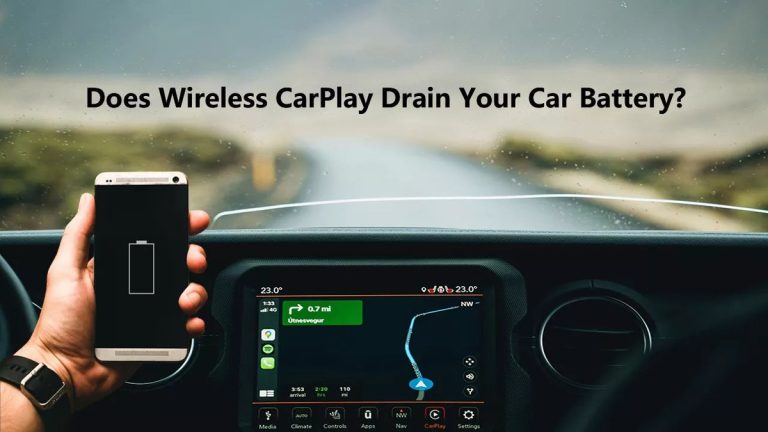
Do Wireless CarPlay Adapters Drain the Car Battery?
Most adapters use a small amount of power from the USB port. In normal use, that should not drain a healthy car battery while you are driving.
The bigger question is what happens after the car is off. In many vehicles, the USB port shuts off. In some cars, the port may stay powered for a while. If the adapter stays lit for hours after shutdown, unplug it or check your vehicle settings.
Your iPhone battery may drain faster with wireless CarPlay than wired CarPlay because the phone is using wireless data and is not charging through a cable. A wireless charging pad or separate charger can help.
Are Wireless CarPlay Adapters Worth It?
For many drivers, yes. A wireless CarPlay adapter is worth it if your car already has wired CarPlay and you want a cleaner, faster daily routine.
It is less worth it if you need perfect connection speed, drive an older system with known compatibility problems, or want to add CarPlay to a vehicle that does not have it.
- Do check your vehicle compatibility before buying.
- Do use the correct CarPlay USB port.
- Do keep adapter firmware updated when needed.
- Do test the adapter before your return window ends.
- Don’t buy one for a car that has no CarPlay at all.
- Don’t expect every adapter to work with every head unit.
- Don’t update firmware while driving.
- Don’t ignore repeated disconnects or overheating.
Common Problems and Simple Fixes
Most adapter problems are connection problems. The good news is that many are easy to fix.
| Problem | Common Cause | Simple Fix |
|---|---|---|
| Adapter will not show on screen | Wrong USB port | Use the port that works with wired CarPlay |
| Phone will not connect | Old Bluetooth pairing conflict | Forget the device and pair again |
| Audio delay | Wireless processing lag | Restart the adapter and check firmware |
| Random disconnects | Weak adapter software or USB power issue | Try a different cable or update firmware |
| Wrong phone connects | Multiple saved phones | Turn off Bluetooth on the other phone or select the right phone |
Wireless CarPlay still depends on your car’s infotainment system. A fast adapter can feel slow if the factory screen and software are already slow to boot.
What Features Should You Look For?
Do not shop only by price. A cheaper adapter can be fine, but the wrong one can waste your time. I look for clean startup, low lag, clear instructions, and a real way to update firmware.
Reviews from trusted car sites like Car and Driver, Popular Mechanics car coverage, and Edmunds car technology guides can also help you understand how modern car tech fits into daily driving.
| Feature | Why It Matters | My Take |
|---|---|---|
| Auto-connect | Starts CarPlay after you start the car | Very important for daily use |
| Firmware updates | Can fix bugs or improve fitment | Worth having |
| USB-C and USB-A support | Works with more vehicles | Helpful if you switch cars |
| Low audio delay | Keeps calls and music smoother | Important for comfort |
| Clear compatibility list | Reduces buying mistakes | Do not skip this |
Who Should Buy a Wireless CarPlay Adapter?
You should consider one if your car has wired Apple CarPlay and you use it often. It is great for commuters, parents, delivery drivers, road trip fans, and anyone who likes a clean cabin.
You may not need one if your car already has wireless CarPlay. You may also skip it if you only use CarPlay once in a while or prefer charging by cable every time.
- A wireless CarPlay adapter converts wired Apple CarPlay into a wireless setup.
- It usually works only if your car already has wired CarPlay.
- Bluetooth helps pair the phone, while Wi-Fi handles the main CarPlay link.
- It is best for convenience, cleaner cabins, and short daily drives.
- Compatibility matters more than brand hype or low price.
A wireless CarPlay adapter is a smart upgrade if you already have wired CarPlay and want less cable clutter. Check compatibility first, buy from a place with a good return policy, and test it in your own vehicle before you fully trust it for daily driving.
FAQ About Wireless CarPlay Adapters
A wireless CarPlay adapter is a small device that plugs into your car’s USB port and lets your iPhone use Apple CarPlay without a cable.
Yes, many wireless CarPlay adapters work well, but only with compatible vehicles that already support wired Apple CarPlay.
No. Most adapters do not work on any car. Your vehicle usually needs built-in wired Apple CarPlay first.
In most cars, yes. But if the adapter stays powered after the car is off, unplug it to avoid small battery drain.
They can use more phone battery than wired CarPlay because the phone is not charging and is using wireless connections.
Some adapters can remember more than one phone, but most use only one active phone at a time.
Yes, they are worth it if you use CarPlay often and want a cleaner, cable-free setup for daily driving.
Conclusion: Should You Use a Wireless CarPlay Adapter?
A wireless CarPlay adapter is one of the easiest ways to make an older wired CarPlay setup feel more modern. It does not change the core CarPlay experience. It just removes the cable from the routine.
My advice is simple. If your car already has wired Apple CarPlay, check compatibility and try a well-reviewed adapter. If your car does not have CarPlay at all, look at a proper CarPlay head unit instead.
For most daily drivers, the right wireless CarPlay adapter makes the car feel cleaner, smarter, and easier to live with. Just install it safely, test it before a long trip, and make sure it works well with your exact vehicle and iPhone.

2 Comments