Are Wireless CarPlay Adapters Safe? Battery, Heat, and Privacy Risks

Yes, wireless CarPlay adapters are generally safe when you buy a reliable adapter, use it with a compatible wired CarPlay system, keep the firmware updated, and set it up while parked. The main risks are distraction, weak build quality, connection lag, overheating, privacy concerns, and small battery drain if the USB port stays powered.
Are wireless CarPlay adapters safe? For most car owners, yes. A good wireless CarPlay adapter is safe for daily use when it works with your car, does not overheat, connects reliably, and does not distract you while driving.
I’m Brandon Walker, an automotive gear reviewer at Autostin. I test and review car products so you don’t have to guess what’s worth buying.
From dash cams and emergency tools to tire inflators, interior accessories, detailing gear, and DIY maintenance tools, I break it all down in plain language so you can make the right call before you spend a dime.
Wireless CarPlay adapters are popular because they make wired Apple CarPlay feel modern. You get in the car, start it, and your iPhone connects without a cable.
But safe does not only mean “will it work?” It also means safe for your car battery, safe for driving focus, safe for your data, and safe for your infotainment system.
What Is a Wireless CarPlay Adapter?
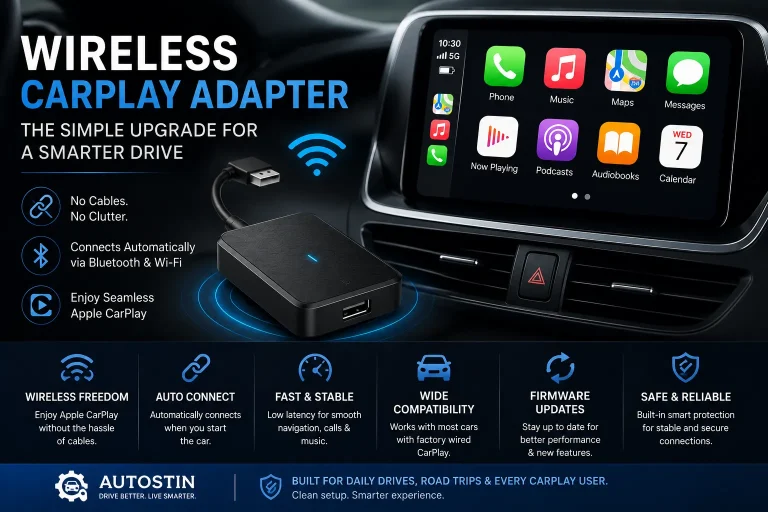
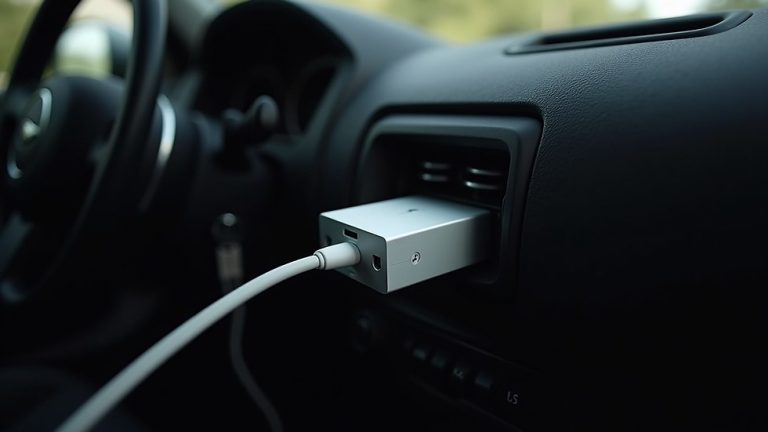
A wireless CarPlay adapter is a small device that plugs into your car’s wired CarPlay USB port.
It lets your iPhone connect to Apple CarPlay without using a cable every time you drive.
Most adapters do not add CarPlay to a car that never had it. They usually convert existing wired CarPlay into wireless CarPlay.
The adapter uses Bluetooth to start the connection. Then it usually uses Wi-Fi for the main CarPlay data connection.
Are Wireless CarPlay Adapters Safe?
Yes, wireless CarPlay adapters are generally safe for normal use.
They do not usually change your car’s engine, brakes, airbags, or core safety systems. They mainly connect your iPhone to your infotainment screen through the car’s USB port.
The real safety concerns are more practical. A bad adapter can disconnect, lag, heat up, drain a small amount of power, or make you mess with settings while driving.
That is why I always look for stable connection, good compatibility, safe startup, and clear return policy before trusting one in a daily car.
For more everyday tech upgrades, our car tech guide can help you compare useful electronics for your vehicle.
| Safety Area | Main Risk | How to Reduce It |
|---|---|---|
| Driving focus | Changing settings while moving | Set up and troubleshoot while parked |
| Battery | Small drain if USB stays powered | Unplug during long parking |
| Heat | Cheap adapter may run hot | Keep it ventilated and buy a quality unit |
| Privacy | Unknown brand or poor software | Use trusted brands and update firmware carefully |
| Compatibility | Disconnects or lag | Check your car model before buying |
How Wireless CarPlay Adapters Work
A wireless CarPlay adapter works as a bridge between your iPhone and your car’s wired CarPlay system.
Your car reads the adapter through the USB port. Your iPhone connects to the adapter wirelessly.
After the first setup, many adapters reconnect automatically when you start the car.
This is convenient, but it also means the adapter needs stable power, strong wireless connection, and good software.
How to Use a Wireless CarPlay Adapter Safely
The safest way to use a wireless CarPlay adapter is to set it up once, test it while parked, and avoid touching the adapter while driving.
Use this simple safety setup process.
Make sure your car already supports wired Apple CarPlay. Most wireless adapters need that to work.
Do not pair the adapter while driving. Park safely before you open Bluetooth, Wi-Fi, or CarPlay settings.
Plug the adapter into the same USB port that works for wired CarPlay. Some ports are charge-only.
Test maps, music, calls, and voice control before you leave the parking spot.
If the adapter gets very hot, freezes, or disconnects often, stop using it until you check firmware, cable, and compatibility.
Why Safety Matters With Wireless CarPlay Adapters
Wireless CarPlay is meant to make your drive easier, not more distracting.
If the adapter works smoothly, you can use maps, calls, music, and messages with less cable clutter.
If the adapter is unstable, it can do the opposite. You may end up looking at the screen, reconnecting the phone, or restarting the adapter while driving.
That is the safety line for me. A good adapter should fade into the background. It should not become another thing you manage on the road.
If you are planning a cleaner and safer car setup, our interior accessories guide has useful cabin gear ideas for car owners.
When I test wireless CarPlay adapters, I pay close attention to startup speed, random disconnects, call delay, map lag, and heat. A safe adapter should connect without making you fight the screen during the drive.
Pros and Cons of Wireless CarPlay Adapters
Wireless CarPlay adapters can be safe and convenient, but they still have limits.
- No cable needed for daily CarPlay use
- Cleaner center console
- Automatic reconnection in many cars
- Useful for short trips and commuting
- Can make an older wired CarPlay car feel newer
- May lag compared with wired CarPlay
- Cheap adapters can disconnect
- Some units can get warm
- May not work with every car
- Can distract you if troubleshooting while driving
Wireless CarPlay Adapter Safety Specs to Check
You do not need to be a tech expert to choose a safer adapter.
Focus on compatibility, connection stability, firmware support, heat control, and return policy.
Are Wireless CarPlay Adapters Compatible With Every Car?
No, wireless CarPlay adapters are not compatible with every car.
Most need a vehicle that already has wired Apple CarPlay. If your car only has Bluetooth audio, the adapter usually will not add full CarPlay.
You also need a USB port that supports data, not only charging.
Some adapters work better with certain vehicle brands and infotainment systems. Always check the compatibility list before buying.
A wireless CarPlay adapter is safest when it is made for your car’s wired CarPlay system. Check your vehicle model, iPhone version, USB port type, and adapter support list before using it.
How Much Does a Safe Wireless CarPlay Adapter Cost?
Price does not always prove safety, but very cheap adapters can be more frustrating.
A better adapter often has faster startup, more stable connection, firmware updates, and better heat control.
Install Tips for Safer Wireless CarPlay Use
Good setup matters. A loose, hot, or unstable adapter can make your drive more annoying and less safe.
- Set up the adapter while parked.
- Use the correct wired CarPlay USB port.
- Keep Bluetooth and Wi-Fi turned on.
- Do not bury the adapter under heavy items.
- Keep it away from cup holder spills.
- Update firmware only from the adapter brand’s official instructions.
- Stop using the adapter if it overheats, smells burnt, or disconnects constantly.
Wireless CarPlay usually starts with Bluetooth pairing, but the main data connection often runs through Wi-Fi. That is why Wi-Fi must stay on even when you are not connected to home internet.
Never troubleshoot a wireless CarPlay adapter while driving. If it freezes, disconnects, or fails to pair, pull over safely before touching your phone, screen, cable, or adapter.
Wireless CarPlay does not charge your iPhone by itself. If you use wireless CarPlay on long drives, you may still want a separate charger in the car.
Do’s and Don’ts for Wireless CarPlay Adapter Safety
These simple rules help you get the convenience without adding risk.
- Do buy from a reliable seller with a return policy.
- Do check compatibility before buying.
- Do set up the adapter while parked.
- Do keep the adapter dry and ventilated.
- Do unplug it if the car sits for many days.
- Do not use an adapter that gets dangerously hot.
- Do not troubleshoot while driving.
- Do not ignore random disconnects during navigation.
- Do not install unknown firmware from random links.
- Do not expect it to work in a car without wired CarPlay.
Before You Buy a Wireless CarPlay Adapter
Before you buy, check the basics. This can help you avoid unsafe or annoying adapters.
- Confirm your car already supports wired Apple CarPlay.
- Check if your USB port is USB-A or USB-C.
- Read recent reviews from owners with your vehicle model.
- Look for firmware update support.
- Check the return policy.
- Avoid unknown brands with no support details.
- Choose low lag if you rely on maps and calls daily.
If you keep extra tech or emergency tools in your car, our safety gear guide can help you build a more practical road setup.
Common Wireless CarPlay Adapter Safety Concerns
Most concerns come down to power, distraction, heat, connection stability, and privacy.
| Concern | Is It a Real Risk? | Best Safety Move |
|---|---|---|
| Battery drain | Small risk if USB stays powered | Unplug during long parking |
| Overheating | Possible with poor-quality units | Keep it ventilated and stop using if too hot |
| Driving distraction | Yes, if troubleshooting while moving | Set up and fix issues while parked |
| Connection lag | Common on cheaper adapters | Choose a stable adapter with good reviews |
| Privacy | Depends on brand and software | Use trusted products and avoid unknown firmware |
Wireless CarPlay Adapter vs Wired CarPlay Safety
Wired CarPlay is usually the most stable option. Wireless CarPlay is usually more convenient.
For safety, the best choice is the one that lets you focus on the road.
| Feature | Wireless CarPlay Adapter | Wired CarPlay |
|---|---|---|
| Convenience | Very high | Needs cable |
| Connection stability | Depends on adapter | Usually very stable |
| Lag | Can happen | Usually lower |
| Phone charging | Needs separate charger | Charges through cable |
| Best for | Daily convenience and short trips | Long trips and maximum reliability |
For official iPhone and CarPlay setup help, Apple’s CarPlay setup guide is useful for checking basic connection steps.
For vehicle safety information in the United States, NHTSA is a trusted resource for car owners.
For general car ownership and maintenance guidance, Edmunds car maintenance resources can also help.
Final Verdict: Are Wireless CarPlay Adapters Safe?
- Wireless CarPlay adapters are generally safe when compatible and reliable.
- The biggest safety risk is distraction during setup or troubleshooting.
- Cheap adapters may lag, freeze, overheat, or disconnect.
- Use trusted products and check compatibility before buying.
- Unplug the adapter during long parking if your USB port stays powered.
Wireless CarPlay adapters are safe for most car owners when used correctly. Choose a compatible adapter, set it up while parked, keep it dry and ventilated, avoid unknown firmware, and stop using any unit that overheats or disconnects often. Convenience is great, but road focus comes first.
FAQ: Are Wireless CarPlay Adapters Safe?
Yes, wireless CarPlay adapters are generally safe when they are compatible with your car, stable, and used without distracting you while driving.
A good adapter should not damage your car. Avoid poor-quality units that overheat, freeze often, or use unknown firmware.
They can draw a small amount of power if the USB port stays on. Unplug the adapter if the car will sit for many days.
Some cheap adapters work, but they may have more lag, heat, disconnects, or poor support. A reliable adapter is usually the safer choice.
Some adapters can get warm. If one gets very hot, smells bad, or shuts off often, unplug it and stop using it.
No, most wireless CarPlay adapters only work with cars that already have wired Apple CarPlay.
It can be safer than handling your phone because key apps show on the car screen, but you still need to keep your focus on driving.
Final Thoughts
So, are wireless CarPlay adapters safe? For most car owners, yes.
The adapter itself is not the main problem. The bigger issues are distraction, poor compatibility, lag, heat, battery drain, and weak product support.
Buy carefully. Set it up while parked. Test it before driving. Keep your eyes on the road, not the settings menu.
Used the right way, a wireless CarPlay adapter can be a safe and convenient upgrade for a car that already has wired Apple CarPlay.