Wired vs Wireless CarPlay Adapter: Declutter Your Dash

Choose wired CarPlay for zero latency, reliable charging, and the lowest cost. Choose a wireless adapter for a clean, cable-free dash and automatic connection on every trip.
If you’re weighing a wired vs wireless CarPlay adapter, the decision comes down to one question: do you value a spotless dashboard more than a zero-latency connection? Wired CarPlay remains the most reliable and inexpensive option, while a wireless adapter trades a little performance for the freedom of getting in and driving without plugging in.
- Reliability vs convenience: Wired CarPlay offers near-zero lag and stable charging; wireless adapters add slight delay but.
- Compatibility first: Wireless adapters only work with vehicles that already have wired CarPlay, so verify your.
- Battery trade-off: Wireless CarPlay uses more phone battery and may charge slowly; long-trip drivers should keep.
- Placement matters: Mount wireless adapters where they get airflow and avoid burying them behind trim or.
- Maintenance: Check for firmware updates regularly, and know how to reset the adapter if auto-connect.
Wired vs Wireless CarPlay Adapter: Which One Should You Choose in 2026?
The short answer: choose wired if you want the most stable connection, the lowest cost, and zero pairing headaches. Choose wireless if you’re tired of the cable ritual and want a cleaner cabin. Most drivers who switch to wireless never go back, but the ones who do usually switched because of connection drops or delayed Siri responses.
Quick Verdict: Who Wins for Reliability, Convenience, and Cost
Wired wins on reliability and price. Wireless wins on convenience and appearance. If your priority is a fault-free connection on every drive, stay wired. If your priority is grabbing your phone and going, a wireless adapter is worth the trade-offs.
How Wired and Wireless CarPlay Differ at a Glance

Wired CarPlay uses a USB cable to connect your phone directly to the head unit. Wireless CarPlay replaces that cable with a Bluetooth and Wi-Fi link. The difference sounds small, but it changes how you start every trip, how much battery your phone uses, and how much clutter sits on your dash.
What Wired CarPlay Does and Why It Still Exists
Wired CarPlay is the original, most widely supported version. It powers the phone while it streams data through the same cable. Automakers keep including it because it’s cheap to implement, works with nearly any phone, and gives drivers a connection that rarely drops. For anyone who wants the most direct link between phone and car, wired remains the baseline.
What a Wireless CarPlay Adapter Actually Does (and Doesn’t)
A wireless adapter plugs into your car’s USB port and creates a bridge between your phone and the factory head unit. It makes a wired-only system behave like a factory wireless one. What it doesn’t do is add CarPlay to a car that never had it. If your vehicle has no CarPlay at all, an adapter alone won’t help. For a deeper explanation of the bridge, see how wireless CarPlay adapters work.
Wired CarPlay: The Case for a Latency-Free, Always-Powered Connection
If you’ve ever watched a friend’s wireless CarPlay lag while skipping a song, you already understand the appeal of a cable. Wired CarPlay is instant, predictable, and powered.
Audio Quality and Input Lag: Where Wired Still Shines
Because the data travels over a cable, wired CarPlay has noticeably lower latency. Siri responds faster, map directions arrive in sync, and track changes feel immediate. Audio quality is also consistent because there’s no Wi-Fi interference to degrade the stream. Most drivers won’t hear a difference, but the responsiveness is something you feel on every drive.
Cable Management and Dash Clutter: The Real Trade-Off
The downside is obvious: a cable running across your interior. A short, high-quality cable and a few clip-on cable guides can keep things tidy, but the wire is still there. If your USB port sits in a deep center console, you’ll either live with a visible cable or add an extra step to your routine every time you get in the car.
Use the shortest cable that reaches your phone comfortably and route it along existing trim seams or through a console pass-through. A coiled cable might look tidy, but it adds strain and can create a weak connection over time. Replace any cable that frays or feels loose in the port.
Fitment and Compatibility: Which Vehicles and Head Units Support It
Factory wired CarPlay is supported across most major automakers, and nearly every aftermarket CarPlay head unit includes wired input. Compatibility issues usually come down to the USB port, not the head unit. Some ports deliver minimal power, which can cause the phone to charge slowly or the connection to reset under load.
- Near-zero input lag for Siri, audio, and maps
- Phone charges while connected
- Lower cost — just a quality cable
- Fewer connection drops in congested areas
- Cable clutter on the dash and center console
- Must plug in and unplug on every trip
- USB ports and cables wear out over time
Wireless CarPlay Adapters: The Case for a Clean, Cable-Free Dash
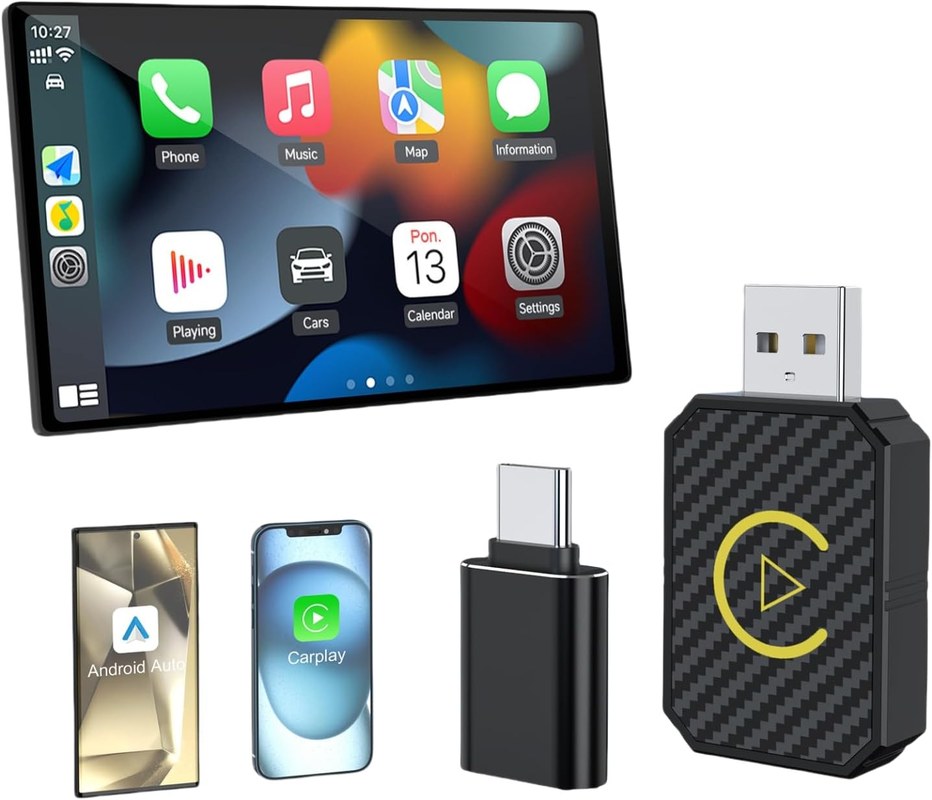
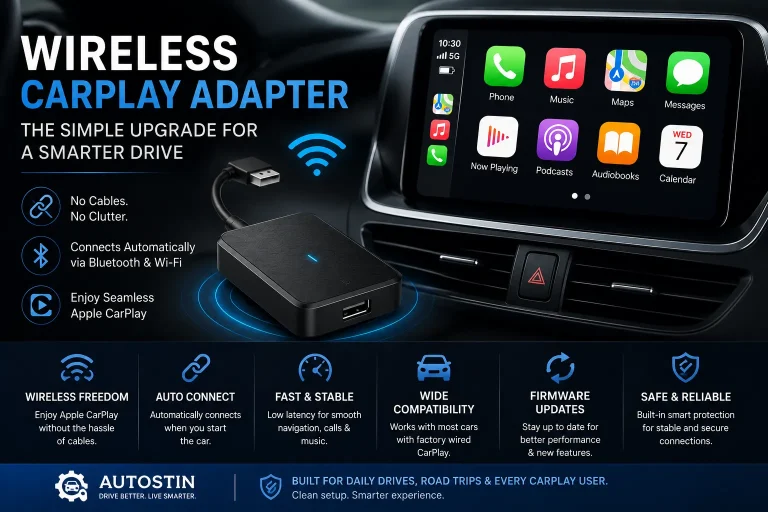
Wireless adapters exist for one reason: to remove the cable from your daily routine. Once paired, the adapter connects automatically when you start the car, and your phone stays in your pocket or bag.
How Wireless Adapters Work: Bridging the Gap for Factory Wired-Only Systems
The adapter plugs into your USB port and talks to your phone over Bluetooth first, then switches to a local Wi-Fi connection for the actual CarPlay data stream. Your head unit still thinks it’s talking to a wired phone. For most drivers, setup takes a few minutes, and the adapter handles the rest automatically.
Mounting and Cable Routing: Where to Place the Adapter for Best Reception
Placement matters more than most people expect. A small aluminum adapter tucked behind the dash can struggle with heat and signal. Try to position it where it gets airflow and isn’t buried under trim or in direct sunlight. A short USB extension cable can help you place the adapter in a better spot without stressing the port.
Latency, Audio Quality, and Connection Stability: What to Expect
Wireless CarPlay adds a small but noticeable delay. Skipping a track or asking Siri a question feels slightly less instant than wired. Audio quality over a good Wi-Fi link is generally fine for streaming, but congested urban areas can cause stutter or a brief drop. Firmware updates have improved stability significantly, and newer adapters are much better than early models.
Battery Drain and Power Consumption: Does Wireless Kill Your Phone Faster?
Wireless CarPlay uses more phone battery than wired because Wi-Fi, Bluetooth, and GPS are all active at once. Your phone may also charge slowly or not at all if the adapter’s pass-through charging is limited. If you take long trips, you may still want a cable. Owners who leave the adapter plugged in around the clock should also consider the drain it places on the car’s battery. We cover that in more depth in our guide to wireless CarPlay adapter battery drain.
- Clean, cable-free dash
- Phone stays in your pocket or bag
- Auto-connects when you start the car
- Firmware updates can add features and stability
- Higher upfront cost than a cable
- Slightly delayed Siri and audio commands
- Higher phone battery consumption
- Possible connection drops in crowded signal areas
Wired vs Wireless CarPlay Adapter: Head-to-Head Comparison
The table below summarizes the main differences so you can match each option to your driving style.
| Option | Best For | Key Consideration |
|---|---|---|
| Wired CarPlay | Drivers who want zero latency and reliable charging | Requires plugging in every trip and managing a cable |
| Wireless CarPlay Adapter | Drivers who want a clean dash and auto-connect | Adds slight latency and uses more phone battery |
Setup and Installation: Plug-and-Play vs Pair-and-Go
Wired is truly plug-and-play: connect the cable and CarPlay launches. Wireless requires a one-time pairing process. After that, it reconnects automatically, though the first connection of the day can take several seconds to establish.
Daily Use and Convenience: Getting In and Out of the Car
Wireless wins the daily routine. You get in, start the car, and your phone connects before you’ve buckled up. Wired means fumbling for the cable, plugging in, and remembering to unplug when you arrive. For short errands, that extra step gets old fast.
Reliability and Durability: Connection Drops, Overheating, and Longevity
Wired connections are durable as long as the cable and port hold up. Wireless adapters introduce more variables: Wi-Fi congestion, heat buildup in summer, and firmware bugs. Some owners report occasional drops that require a restart of the adapter or phone. If you run into that, our guide to resetting a wireless CarPlay adapter without losing settings walks through the safest way to recover.
Ownership Cost: Upfront Price, Subscriptions, and Replacement Cycles
Wired costs almost nothing beyond a quality cable. Wireless adapters cost significantly more upfront, and cheap no-name units may need replacement sooner than expected. Most adapters have no subscription, but a few companion apps require an account. Factor in the possibility of a firmware update cycle before buying.
Compatibility and Fitment: Which Adapter Works With Your Vehicle?
Compatibility is the most common source of frustration. A wireless adapter that works flawlessly in a friend’s truck may not work in your sedan.
Factory Wired CarPlay vs Aftermarket Head Units: What the Adapters Support
Most wireless adapters are designed for factory wired CarPlay systems and many aftermarket head units. The key is checking that your head unit’s USB port provides enough power and that the firmware is current. Some older head units have USB ports that cut power during startup, which causes the adapter to reboot.
Vehicle-Specific Fitment Issues: Steering Wheel Controls, USB Ports, and Power Limits
Steering wheel controls generally work through the head unit, so they usually work with an adapter too. The bigger risk is the USB port. If your car’s port supplies limited current, the adapter may struggle, especially while the phone is also trying to charge. Check your owner’s manual for the USB port’s output rating and look for owner feedback specific to your make and model before buying.
Verify your vehicle’s make, model, year, and trim, plus whether your factory system supports wired CarPlay. Confirm that the USB port you plan to use stays powered during drive and provides enough current for the adapter. Check owner forums for known issues with your specific head unit before purchase.
Troubleshooting, Firmware, and Ongoing Maintenance
No adapter is perfect, and knowing how to troubleshoot common issues will save you from frustration at a red light.
Common Connection Issues and How to Fix Them
The most common complaints are failure to auto-connect, audio stutter, and sudden disconnects. Start by restarting your phone, then the adapter. If the problem persists, check for a firmware update and consider whether a nearby Wi-Fi network or a metal object is interfering with the signal.
Firmware Updates and Companion Apps: What You Need to Know
Most reputable adapters use a companion app to install firmware updates. These updates fix bugs, improve connection stability, and sometimes add features. Check for updates every few months, especially after a major iOS release.
Privacy, Legal Considerations, and Driving Safety Limitations
Wireless adapters communicate with your phone and may collect basic usage data. Read the manufacturer’s privacy policy before pairing. Also remember that wireless CarPlay does not make distracted driving legal. Hands-free laws vary by state, and a wireless connection doesn’t change what you’re allowed to do behind the wheel.
Mount the adapter where it won’t interfere with climate controls, steering wheel controls, or phone storage. Keep cables away from pedals and moving seats. Do not attempt to update firmware while driving, and never interact with the companion app while the vehicle is in motion.
The Verdict: Which Option Fits Your Driving Routine and Budget?
There is no universal winner. The right choice depends on how you drive, where you park, and how much you value a tidy interior.
Best Choice for Commuters, Road Trippers, and Tech Enthusiasts
Commuters who drive short, frequent trips will appreciate wireless auto-connect. Road trippers who want reliable navigation and steady charging should stay wired or keep a cable in the center console as backup. Tech enthusiasts who enjoy firmware updates and tweaking settings will get more satisfaction from a wireless adapter.
Final Recommendation: When to Go Wired, When to Go Wireless
Go wired if you prioritize a rock-solid connection, minimal cost, and guaranteed charging. Go wireless if you want to declutter your dash and skip the plug-in ritual. If you’re unsure, start with a quality cable and try a wireless adapter later — many drivers find that the clean-dash convenience is worth the trade-offs.
- Confirm your vehicle has factory wired CarPlay or a compatible aftermarket head unit
- Check your USB port’s power output and whether it stays active after startup
- Look up owner feedback for your specific make, model, and year
- Review the adapter’s firmware update process, companion app, and privacy policy
- Keep your receipt and check the return window in case compatibility fails
- Best use case: wireless for daily commuters who want a clean dash; wired for drivers who demand zero latency and reliable charging
- Main strength of wireless: convenience and a cable-free cabin
- Main limitation of wireless: slight delay, higher phone battery use, and occasional connection drops
- Next verification step: confirm your car’s USB port power and read owner reviews for your exact vehicle before buying