Wireless CarPlay Adapter for Car Without CarPlay: What Actually Works?

A regular wireless CarPlay adapter will not work in a car without CarPlay. Most plug-in adapters only convert wired Apple CarPlay to wireless Apple CarPlay. If your car has no CarPlay at all, you need a portable CarPlay screen, an aftermarket head unit, or a vehicle-specific retrofit kit.
A wireless CarPlay adapter for car without CarPlay is usually not the right product. If your vehicle does not already support wired Apple CarPlay, a small USB adapter cannot add it by itself. The better options are a portable dashboard CarPlay display, a new CarPlay head unit, or a professional retrofit module made for your exact vehicle.
I’m Brandon Walker, and I like simple car tech that makes daily driving easier. But this topic trips up a lot of drivers.
You see a small wireless CarPlay adapter online. It says “plug and play.” It looks easy. Then you wonder, can this add CarPlay to my older car?
Most of the time, the answer is no. Let’s break it down in plain English before you waste money on the wrong gear.
What Does “Car Without CarPlay” Really Mean?
A car without CarPlay is a vehicle that does not have Apple CarPlay built into its factory infotainment system. It may still have Bluetooth, USB music, an AUX port, or a basic touchscreen.
But those things are not the same as CarPlay.
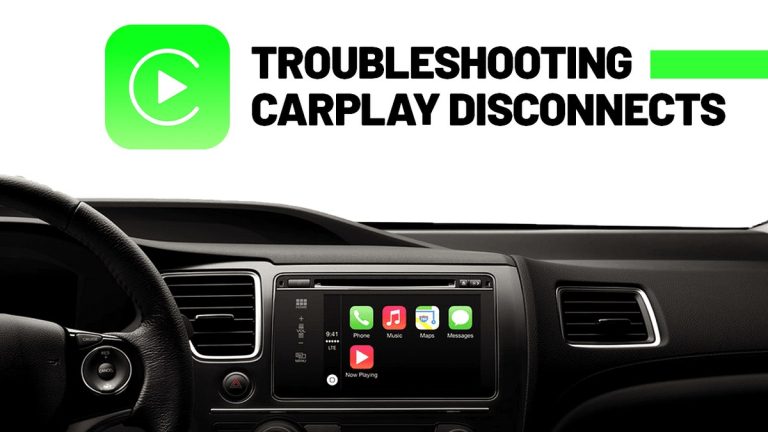
Apple CarPlay lets your iPhone show supported apps on your car screen. That can include Maps, Music, Messages, phone calls, podcasts, and Siri. Apple explains that CarPlay works only with supported vehicles and supported setup methods in its official CarPlay setup guide.
If your car does not support CarPlay at all, a simple wireless adapter has nothing to convert.
Can a Wireless CarPlay Adapter Add CarPlay to a Car Without CarPlay?
Most regular wireless CarPlay adapters cannot add CarPlay to a car without CarPlay.
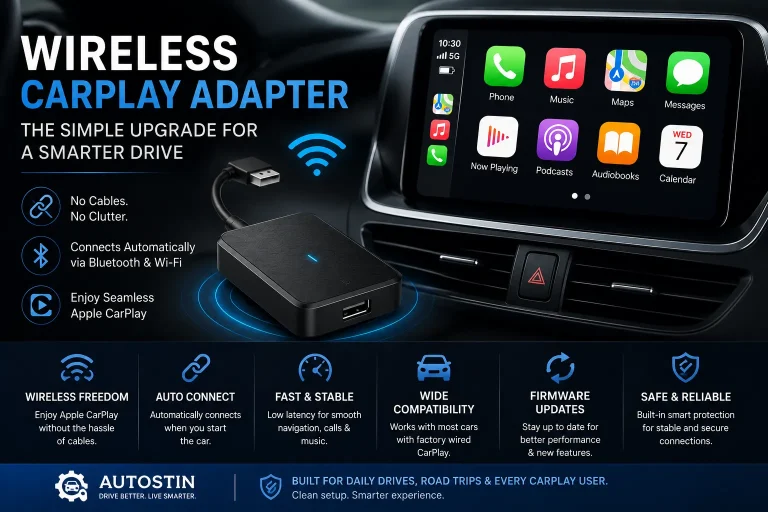
They are made for vehicles that already have wired Apple CarPlay. The adapter plugs into the wired CarPlay USB port. Then it lets your iPhone connect wirelessly.
So the adapter is more like a bridge. It is not a full new infotainment system.
If your car does not launch wired Apple CarPlay when you connect your iPhone with a cable, a normal wireless CarPlay adapter will usually not work. Check your owner’s manual, factory screen settings, and adapter compatibility list before buying.
How Regular Wireless CarPlay Adapters Work
A regular wireless CarPlay adapter needs an existing wired CarPlay system. It plugs into the same USB port you normally use for wired CarPlay.
Your iPhone pairs with the adapter. The adapter then talks to the car through the USB connection.
It connects to the factory USB port that already supports wired Apple CarPlay.
The first connection usually starts with Bluetooth, then uses Wi-Fi for the CarPlay data link.
The adapter acts like a middle device. The car thinks a wired CarPlay device is connected.
Once paired, the system can auto-connect when you start the vehicle.
A USB media port is not the same as a CarPlay USB port. Some older cars can play music from a phone through USB, but they still do not support Apple CarPlay.
Best Options for a Car Without CarPlay
If your car has no CarPlay, you still have good options. You just need the right type of product.
The three main choices are a portable CarPlay screen, an aftermarket CarPlay head unit, or a vehicle-specific retrofit interface.
| Option | Best For | What to Know |
|---|---|---|
| Portable CarPlay screen | Older cars, leased cars, simple DIY installs | Mounts on the dash or windshield and works like a separate display. |
| Aftermarket CarPlay head unit | Drivers who want a clean built-in upgrade | Replaces the factory stereo and may need a dash kit and wiring harness. |
| Vehicle-specific retrofit kit | Luxury cars or factory screens you want to keep | Adds CarPlay through an interface module made for certain models. |
| Regular wireless CarPlay adapter | Cars that already have wired CarPlay | Usually not useful if the car has no CarPlay at all. |
If you are comparing screens, head units, and other electronics, our car tech guide is the best place to start.
Option 1: Portable Wireless CarPlay Screen
A portable CarPlay screen is often the easiest answer for an older car without CarPlay.
It is a separate display that mounts on your dashboard or windshield. It connects to your iPhone wirelessly, then sends sound to your car through Bluetooth, AUX, FM transmitter, or built-in speaker.
This is the option I would look at first if you want a low-effort upgrade and do not want to remove the factory stereo.
- Easy to install at home
- Good for older cars
- No major wiring in many setups
- Works even if the factory radio has no CarPlay
- Can be moved between vehicles
- May not look as clean as a built-in screen
- Audio quality depends on connection method
- Needs power from a 12V outlet or USB-C cable
- Dash mounting can look messy if rushed
- Cheap screens may have glare or slow touch response
Option 2: Aftermarket CarPlay Head Unit
An aftermarket head unit replaces your old factory stereo. This can give your car a real built-in CarPlay experience.
Many drivers choose this route when they want a clean dashboard, better sound, backup camera support, and modern controls.
The downside is install work. You may need a dash kit, wiring harness, antenna adapter, steering wheel control module, and maybe professional help.
I like aftermarket head units for long-term ownership. They feel more permanent than a portable screen. But I would not rush the install. A clean wiring job matters more than saving a few dollars on the cheapest parts.
Option 3: Vehicle-Specific CarPlay Retrofit Kit
A retrofit kit can add CarPlay while keeping your factory screen. This is common for some luxury vehicles and older premium trims.
These kits are more specific. You must match the kit to your exact year, make, model, screen type, and infotainment system.
This can be a smart path if you like your factory dashboard and do not want an aftermarket radio look.
Why This Matters Before You Buy
This matters because product titles can be confusing. Some listings say “wireless CarPlay adapter” even when the product is only for cars that already have CarPlay.
If you buy the wrong one, you may plug it in and see nothing happen.
You also want to think about safety. CarPlay can make maps, calls, and music easier to use, but setup and screen tapping should happen while parked. The NHTSA distracted driving guide explains why any activity that pulls attention from driving can raise crash risk.
Do not install, pair, or adjust a CarPlay device while driving. Park first, finish setup, test audio, and make sure the screen mount does not block your view of the road.
Product Type vs Compatibility
| Product Type | Works Without Factory CarPlay? | Difficulty | Cleanest Look |
|---|---|---|---|
| Regular wireless CarPlay adapter | No, in most cases | Easy | Very clean if wired CarPlay already exists |
| Portable CarPlay screen | Yes | Easy to medium | Good, but visible on dash |
| Aftermarket CarPlay radio | Yes | Medium to hard | Very clean when installed well |
| Factory-style retrofit module | Sometimes | Medium to hard | Usually very clean |
Before You Buy: Checklist
- Check if your car already has wired Apple CarPlay.
- Look up your exact year, make, model, and trim.
- Confirm if your USB port supports CarPlay or only music playback.
- Choose a portable screen if you want the easiest no-CarPlay solution.
- Choose a head unit if you want a cleaner built-in upgrade.
- Choose a retrofit kit only if it clearly supports your factory screen.
- Check return policy before buying any adapter or screen.
- Read reviews from owners with the same vehicle.
Budget Estimate
The best choice depends on your budget and how clean you want the final setup to look.
A portable screen is usually the fastest route. A head unit can look better, but the full install can cost more once parts and labor are included.
Install Tips for Cars Without CarPlay
- Test the device before hiding wires or finalizing the mount.
- Use the AUX input when possible for cleaner audio than many FM transmitters.
- Keep power cables away from pedals, shifter movement, and steering parts.
- Mount portable screens low enough to avoid blocking your view.
- Use trim tools instead of metal tools when removing dash panels.
- Disconnect the battery before radio wiring if the install requires it.
- Label wires if you are installing a head unit yourself.
If you are replacing the factory radio, do not guess on wiring. Use the right harness for your vehicle. It can help keep steering wheel controls, backup camera functions, and factory warning chimes working.
Portable Screen vs Aftermarket Head Unit
These are the two choices I would compare first.
A portable screen is easier. A head unit is cleaner. Neither is perfect for every driver.
| Feature | Portable CarPlay Screen | Aftermarket Head Unit |
|---|---|---|
| Install time | Fast | Longer |
| Car modification | Little to none | May require dash and wiring work |
| Factory look | Less factory-like | Can look close to factory with the right kit |
| Audio quality | Depends on AUX, Bluetooth, or FM | Often better with proper install |
| Best for | Simple DIY upgrade | Long-term built-in upgrade |
If your upgrade also includes tools, trim removal, wiring, or garage setup, you may find useful picks in our garage essentials section.
Do’s and Don’ts
- Do confirm your car’s current infotainment features first.
- Do choose the product type that matches your actual car.
- Do use a secure mount for portable screens.
- Do test calls, maps, Siri, and music before driving.
- Do keep a charging cable in the car for longer trips.
- Don’t buy a regular adapter if your car has no wired CarPlay.
- Don’t assume Bluetooth means CarPlay.
- Don’t block air vents, airbags, or your forward view.
- Don’t cut factory wiring unless you know what you are doing.
- Don’t use screen controls while driving.
Common Problems and Fixes
| Problem | Likely Cause | Simple Fix |
|---|---|---|
| Regular adapter does nothing | Car does not have wired CarPlay | Use a portable screen, head unit, or retrofit kit instead. |
| Portable screen audio sounds weak | FM transmitter or weak speaker | Use AUX input if your car has one. |
| Screen falls off the dash | Weak mount or dirty surface | Clean the surface and use a stronger mount. |
| Aftermarket radio loses steering controls | Missing control interface | Use the correct steering wheel control adapter. |
| Phone battery drains fast | Wireless CarPlay uses power | Use a fast car charger during longer drives. |
Is a Portable CarPlay Screen Safe?
It can be safe if installed well and used the right way.
The screen should not block your windshield view. It should not sit where an airbag opens. It should not slide around during braking.
AAA also shares driver safety resources through its distracted driving guidance, which is worth reviewing before adding any new screen or phone-based device to your car.
Many drivers think any USB port can run CarPlay. In reality, some USB ports are only for charging or music playback, not full CarPlay data.
My Practical Recommendation
If your car does not have CarPlay, do not start with a regular wireless CarPlay adapter.
Start with your real goal. Do you want the easiest setup? Choose a portable CarPlay screen. Do you want a built-in factory-style look? Choose an aftermarket head unit or a retrofit kit.
For most older cars without CarPlay, I would start with a good portable wireless CarPlay screen. It is easier to install, easier to return, and does not require tearing apart the dashboard.
If you are also cleaning up the cabin during this upgrade, our interior accessories guide can help with mounts, organizers, cable control, and other simple upgrades.
- A regular wireless CarPlay adapter usually will not work in a car without CarPlay.
- Most adapters only convert existing wired CarPlay into wireless CarPlay.
- For cars without CarPlay, look at portable CarPlay screens, aftermarket head units, or retrofit kits.
- Always check fitment, audio connection, mounting, wiring, and return policy before buying.
If you need a wireless CarPlay adapter for car without CarPlay, you probably need a different product. A portable CarPlay screen is the easiest fix for many older vehicles, while a head unit or retrofit kit is better for a cleaner built-in upgrade.
FAQ: Wireless CarPlay Adapter for Car Without CarPlay
Usually no. Most wireless CarPlay adapters only work if the car already has wired Apple CarPlay.
You need a portable CarPlay screen, an aftermarket CarPlay head unit, or a vehicle-specific retrofit kit.
No. Bluetooth audio and Apple CarPlay are different features. A car can have Bluetooth without having CarPlay.
It depends. A portable screen is easier and cheaper. A replacement radio usually looks cleaner and can offer better sound.
Yes. Many older cars can get CarPlay through a portable screen, aftermarket head unit, or retrofit interface.
No. A charging-only USB port will not run CarPlay. The port must support CarPlay data, or you need another upgrade option.
A portable CarPlay screen is often the cheapest and easiest way. It does not require replacing the factory stereo.
You can if you are comfortable with basic wiring and dash trim work. If not, a professional install is safer.
Conclusion
A wireless CarPlay adapter for car without CarPlay sounds like an easy fix, but most regular adapters are not made for that job.
If your car already has wired CarPlay, a wireless adapter can be a great upgrade. If your car has no CarPlay at all, choose a portable CarPlay screen, an aftermarket head unit, or a retrofit kit made for your vehicle.
My simple advice is this: check compatibility first, buy from a seller with a return policy, and install the screen or radio safely. The right setup can make an older car feel much more modern without turning the project into a headache.