Can You Leave a Wireless CarPlay Adapter Plugged In?

Yes, you can usually leave a wireless CarPlay adapter plugged in if your car turns off power to the USB port after shutdown. Most modern cars do. But if the adapter stays powered for hours after the car is off, unplug it to avoid small battery drain.
Can you leave wireless CarPlay adapter plugged in? In most cars, yes. It is normally safe because the USB port turns off after the car shuts down. But if your adapter light stays on overnight, or your car has an always-on USB port, unplugging it is the safer choice.
I’m Brandon Walker, an automotive gear reviewer at Autostin. I test and review car products so you don’t have to guess what’s worth buying.
From dash cams and emergency tools to tire inflators, interior accessories, detailing gear, and DIY maintenance tools, I break it all down in plain language so you can make the right call before you spend a dime.
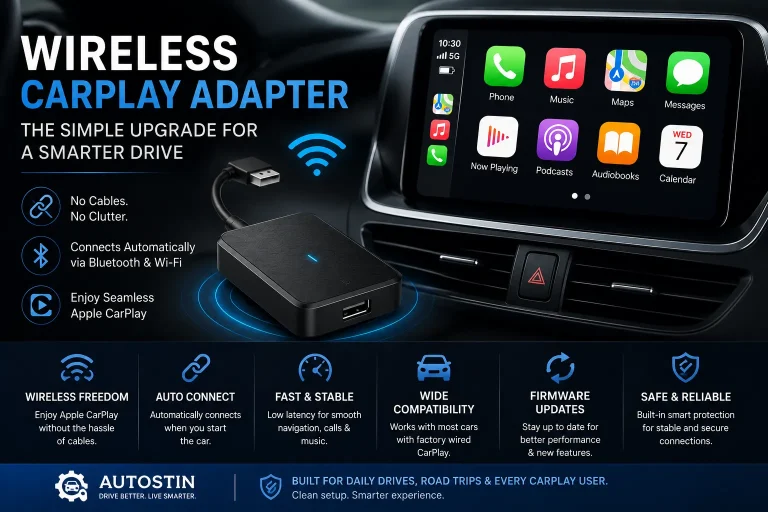
A wireless CarPlay adapter is a small upgrade, but it changes how you use your car every day. You get in, start the car, and CarPlay connects without a cable.
But one question comes up a lot. Should you leave the adapter plugged in all the time, or should you remove it after every drive?
What Happens When You Leave a Wireless CarPlay Adapter Plugged In?
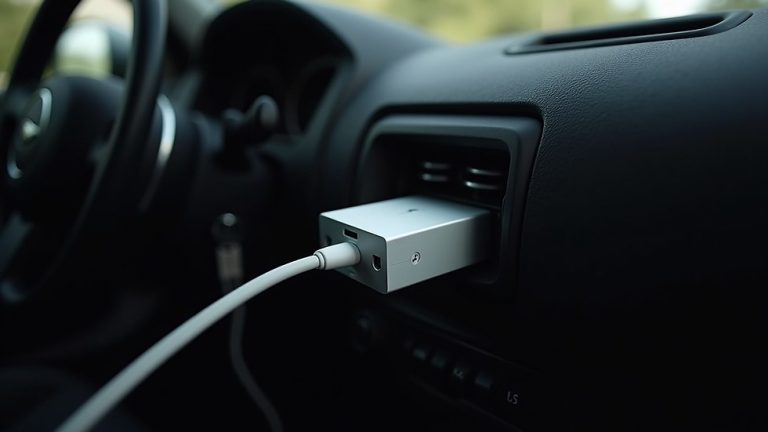
When you leave a wireless CarPlay adapter plugged in, it stays connected to your car’s USB port.
If the USB port shuts off after the car is turned off, the adapter also shuts off. In that case, leaving it plugged in is usually fine.
If the USB port stays powered, the adapter may keep a small light on. It may also keep waiting for your iPhone connection.
That small power use is usually low. But over time, it can matter if the car sits for a long period.
Can You Leave Wireless CarPlay Adapter Plugged In?
Yes, you can leave wireless CarPlay adapter plugged in for normal daily use in most cars.
This is what many car owners do. They plug it in once, pair it with the iPhone, and leave it there for automatic startup.
The adapter is designed for regular in-car use. It should not need to be unplugged after every short drive.
But you should check how your car powers the USB port. Some vehicles turn USB power off right away. Some keep it active for a few minutes. A few may keep it powered longer.
For more car electronics and simple upgrades, our car tech guide can help you choose smarter accessories for daily driving.
| Situation | Leave Adapter Plugged In? | Why |
|---|---|---|
| Daily driving | Yes, usually safe | Car is used often and USB power usually shuts off |
| Overnight parking | Usually yes | Most cars stop USB power after shutdown |
| Car sits for a week | Unplug if unsure | Small power draw can add up |
| Adapter light stays on | Unplug or test first | USB port may stay powered |
| Older weak battery | Better to unplug | Weak batteries have less reserve power |
How Wireless CarPlay Adapter Power Works
A wireless CarPlay adapter gets power from your car’s USB port.
It does not have a large battery inside. It depends on the car to power it.
When the car is on, the adapter wakes up and starts the connection process. Your iPhone pairs through Bluetooth first, then wireless CarPlay usually runs through Wi-Fi.
When the car shuts off, the adapter should shut off when the USB port loses power.
How to Check If It Is Safe to Leave Your Adapter Plugged In
You do not need special tools for a basic check.
Just watch what the adapter does after the car is turned off.
Put the car in park, turn off the engine, and take the key or phone key with you if needed.
Many adapters have a small LED. Check if it stays on after the car shuts down.
Some cars keep USB power on for a short time. Wait a few minutes before judging it.
If the adapter light is still on after a long time, your USB port may stay powered.
If you are not sure how your car handles USB power, unplug the adapter when parking for long periods.
Looking for a clean, leave-it-plugged-in setup? After confirming that your USB port shuts off with the car, a compact adapter can reduce clutter and lower the chance of the device being bumped loose during everyday driving.

CarlinKit MINI5 Wireless CarPlay Adapter
This compact option suits drivers who want to keep an adapter connected without filling the center-console area. Its smaller footprint can make the installation look cleaner and helps keep the adapter out of the way.
- Compact, low-profile shape
- Designed for compatible wired CarPlay systems
- Automatic reconnection after setup
- Useful for tight USB-port areas
Why This Matters for Car Owners
Most car owners want convenience. That is the main reason to buy a wireless CarPlay adapter.
If you must unplug it every time, the setup becomes less convenient.
But battery health also matters. A weak battery, cold weather, or long parking period can make even small power draw more important.
For everyday cabin upgrades that keep your car cleaner and easier to use, our interior accessories guide has practical ideas for car owners.
When I test wireless CarPlay adapters, I usually leave them plugged in during normal daily driving. But if the adapter light stays on after the car is off, I unplug it before leaving the car parked overnight or longer.
Pros and Cons of Leaving a Wireless CarPlay Adapter Plugged In
Leaving it plugged in is easy. But there are a few trade-offs to know.
- CarPlay connects faster when you start the car
- No need to plug and unplug every trip
- Cleaner daily routine
- Less cable mess in the center console
- Good for short trips and commuting
- May draw small power if USB stays active
- Can stay warm in some cars
- May reconnect to your phone while parked nearby
- Can be stolen if visible
- May need a reset if it freezes
Wireless CarPlay Adapter Power and Battery Drain
Most wireless CarPlay adapters use low power. They are not like a dash cam with parking mode.
Still, any device that stays powered can drain some battery over time.
If your car is driven every day, this is usually not a big problem. If your car sits for a week or more, unplugging the adapter is smarter.
Will It Work in Every Car?
No. A wireless CarPlay adapter will not work in every vehicle.
Most adapters need your car to already have wired Apple CarPlay. If your car does not have wired CarPlay, the adapter usually will not add it.
You also need the right USB port. Some USB ports charge only. Others support data and CarPlay.
Most wireless CarPlay adapters are made for cars with factory or aftermarket wired Apple CarPlay. Always check your vehicle model, USB port type, iPhone version, and adapter compatibility list before buying.
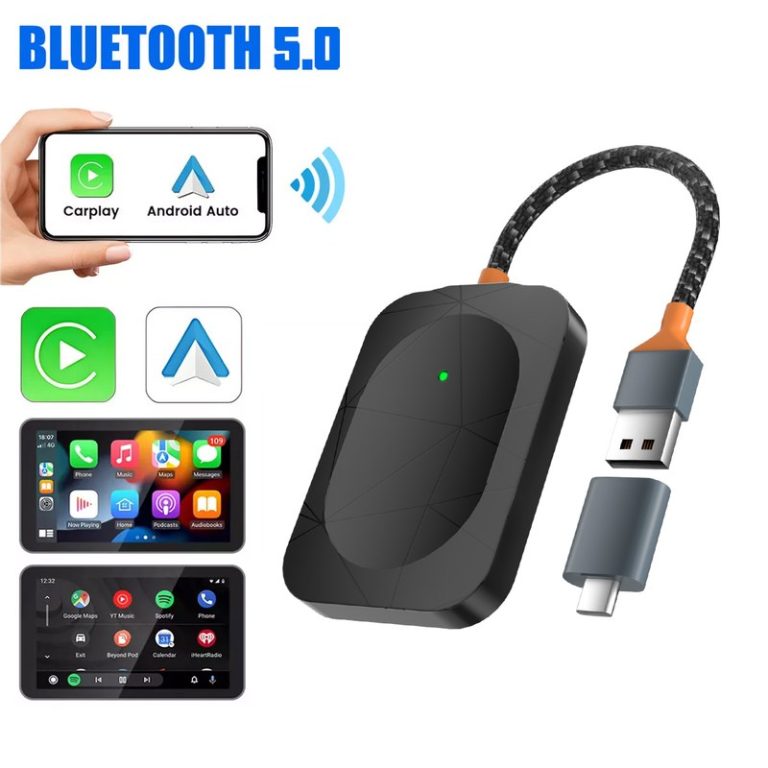
Need one adapter for different phones? A more versatile model can be useful when one driver uses an iPhone and another uses Android. The key is still the same: your vehicle must already support the required wired system.

Carlinkit 5.0 2air Adapter
The 5.0 2air is the most flexible choice in this group for compatible wired CarPlay and wired Android Auto setups. It can make sense for a shared vehicle where drivers use different phone platforms.
- CarPlay and Android Auto options
- Automatic connection after pairing
- Suitable for shared vehicles
- USB-A and USB-C connection options
How Much Does a Wireless CarPlay Adapter Cost?
Wireless CarPlay adapter prices can vary a lot.
Basic units may work fine for some cars. Better units often have faster startup, fewer disconnects, and better firmware support.
Install Tips for Leaving a Wireless CarPlay Adapter Plugged In
A clean setup can help the adapter work better and last longer.
You also want to avoid a loose adapter hanging from the dash.
- Plug it into the USB port that supports wired CarPlay.
- Use a short cable if the adapter blocks space in the console.
- Keep the adapter away from cup holder spills.
- Do not cover it with heavy items that trap heat.
- Hide it from plain view if theft is a concern.
- Update firmware if the adapter brand offers updates.
- Unplug it before long-term parking or storage.
Prefer a value-focused alternative? Once the adapter is installed, placement and cable management matter almost as much as the model itself. A practical option paired with a short, tidy cable can work well for daily driving.

Carlinkit 4.0 Wireless Adapter
The Carlinkit 4.0 is an alternative for drivers who want wireless phone integration while keeping the original infotainment controls. It may be worth comparing when the newer model is unavailable or outside your preferred budget.
- Wireless phone integration for compatible cars
- Designed for existing wired CarPlay systems
- Automatic connection after pairing
- Works well with a tidy cable setup
Some cars keep USB ports powered for a few minutes after shutdown. This is normal. If the adapter turns off after a short delay, leaving it plugged in is usually fine.
Do not troubleshoot, pair, reset, or move the adapter while driving. If CarPlay disconnects, wait until you are safely parked before checking the adapter or phone settings.
Wireless CarPlay usually uses Bluetooth to start the connection, but Wi-Fi handles most of the CarPlay data. That is why Wi-Fi must stay on even if you are not using home internet.
Do’s and Don’ts for Leaving the Adapter Plugged In
These rules help you use the adapter safely and avoid small problems.
- Do leave it plugged in for normal daily use if the USB port turns off.
- Do check if the adapter light turns off after parking.
- Do unplug it if your car will sit for many days.
- Do keep the adapter away from heat and spills.
- Do update firmware when needed.
- Do not leave it powered for weeks in an unused car.
- Do not ignore a weak car battery.
- Do not set it up while driving.
- Do not leave it visible if theft is a concern.
- Do not assume every USB port shuts off.
Before You Leave It Plugged In
Before leaving your wireless CarPlay adapter plugged in all the time, do a quick check.
This helps you avoid battery worry, connection issues, and messy console setups.
- Confirm your car has wired Apple CarPlay.
- Use the correct CarPlay USB port.
- Check if the adapter light turns off after shutdown.
- Watch for random reconnects while parked nearby.
- Unplug it if the car will sit for a week or more.
- Keep it away from drinks, heat, and loose items.
- Check your car battery health if it is older.
If you like keeping useful tech and emergency items in your car, our safety gear guide can help you plan a better everyday kit.
When You Should Unplug the Wireless CarPlay Adapter
Leaving it plugged in is fine for many car owners. But there are times when unplugging is better.
Use this table as a simple guide.
| When to Unplug | Reason | Best Move |
|---|---|---|
| Car parked for a week or more | Prevents small battery drain | Unplug and store safely |
| Adapter light stays on overnight | USB port may stay powered | Unplug after each drive |
| Car battery is weak | Less reserve power | Unplug when parked |
| Adapter freezes often | May need reset or firmware update | Unplug, restart, update firmware |
| Parking in public area | Theft risk if visible | Hide or unplug adapter |
Leaving It Plugged In vs Unplugging It
Both options can be right. It depends on your car and how often you drive.
| Choice | Best For | Main Benefit | Main Risk |
|---|---|---|---|
| Leave plugged in | Daily drivers | Fast automatic CarPlay startup | Small drain if USB stays powered |
| Unplug after driving | Cars with always-on USB ports | Protects battery | Less convenient |
| Unplug for long parking | Vacation, storage, extra car | Best battery safety | You must remember to reconnect |
| Use short cable and hide adapter | Public parking | Cleaner and safer setup | May need extra cable |
For official iPhone setup help, Apple’s CarPlay setup guide is useful for checking CarPlay permissions and connection basics.
For vehicle safety and recall information in the United States, NHTSA is a trusted resource for car owners.
For general ownership and maintenance planning, Edmunds car maintenance resources can also help.
Final Verdict: Can You Leave Wireless CarPlay Adapter Plugged In?
- Yes, you can usually leave it plugged in for daily driving.
- It is safest when your USB port turns off after shutdown.
- Check the adapter light after the car is off.
- Unplug it if the car will sit for many days.
- Unplug it if your battery is weak or the adapter stays powered.
You can usually leave wireless CarPlay adapter plugged in if your car shuts off USB power after parking. For normal daily driving, it is convenient and usually safe. But if the adapter stays on, your car sits for long periods, or your battery is weak, unplugging it is the smarter move.
FAQ: Can You Leave Wireless CarPlay Adapter Plugged In?
Yes, in most cars you can leave it plugged in overnight if the USB port turns off after the car shuts down.
It can drain a small amount if the USB port stays powered. This matters more if the car sits for many days or has a weak battery.
You do not need to unplug it after every drive if your USB port shuts off. Unplug it for long parking or if the adapter stays powered.
Your car may keep the USB port powered for a short time after shutdown, or it may have an always-on USB port.
Usually no, but heat, spills, loose cables, and poor-quality adapters can cause problems over time.
Yes, most adapters reconnect automatically after the first setup when you start the car and your iPhone is nearby.
Yes, most wireless CarPlay adapters use Bluetooth to start pairing and Wi-Fi for the main CarPlay connection.
Final Thoughts
So, can you leave wireless CarPlay adapter plugged in? For most car owners, yes.
If you drive your car often and the USB port turns off after shutdown, leaving the adapter plugged in is usually safe and convenient.
But do not ignore signs of always-on power. If the adapter light stays on for hours, your car sits unused, or your battery is weak, unplug it.
That gives you the best balance: easy wireless CarPlay when you drive, and better battery peace of mind when the car is parked.