Can You Leave a Wireless CarPlay Adapter Plugged In? Clutter-Free

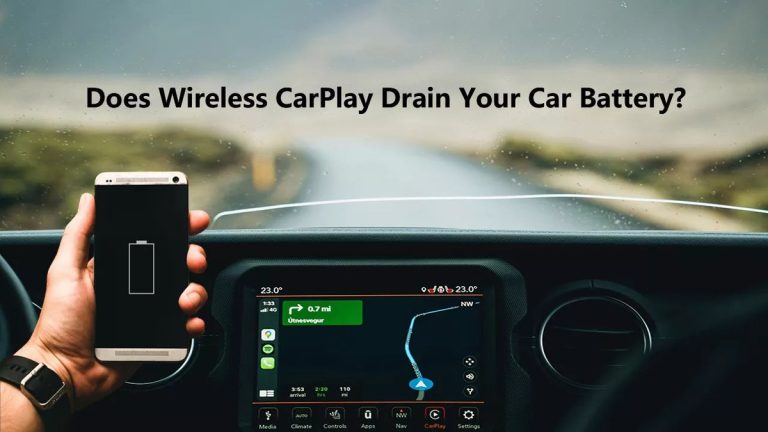
Yes, you can leave a wireless CarPlay adapter plugged in for most vehicles, especially if the USB port shuts off with the ignition. The two real risks to manage are always-on ports that can drain the battery and cabin heat that can shorten the adapter’s life.
If you’re wondering can you leave wireless CarPlay adapter plugged in without worrying about your battery, the short answer is yes for most vehicles — but the details depend on your USB port behavior, the adapter’s power draw, and where you mount it. This guide separates the real risks from the myths and shows you how to set up a clean, reliable wireless CarPlay experience.
- USB port behavior matters most: Switched ports cut power with the car, making it safe to leave the adapter.
- Battery drain is possible but not typical: Always-on ports can draw 150–500 mA, which adds up over long parking periods.
- Heat is the bigger threat: A sealed center console can climb past 140°F in summer and shorten adapter life.
- Firmware updates are easier when it stays plugged in: Keep the companion app updated and reset the adapter if connections drop.
- Test before you trust: Use a USB tester or phone to confirm whether your port stays live after.
The Short Answer: Yes, You Can Leave a Wireless CarPlay Adapter Plugged In
For the vast majority of modern cars, leaving a wireless CarPlay adapter plugged into a USB port is perfectly safe. Most adapters draw very little power once the car shuts off, and most factory USB ports stop supplying power shortly after the ignition is turned off or the doors are locked.
What Most Adapters Do When the Car Shuts Off
Wireless CarPlay adapters are essentially small computers running a stripped-down operating system. When they lose power, they shut down just like your phone does when you unplug it. Some adapters run a brief shutdown sequence that takes a few seconds, while others simply cut off. A few models include a low-power standby mode that keeps them ready for a faster connection on your next drive.
Manufacturers generally design these adapters to be left in place. There’s no mechanical wear from repeated plugging and unplugging, and the power draw in standby is usually comparable to a phone sitting idle.
When Leaving It Plugged In Becomes a Problem
The problems start when your USB port stays live after the car is off. Some European and Asian vehicles, plus many aftermarket head units, keep USB power active for hours or even days. If your adapter stays fully awake instead of entering standby, that continuous draw can eventually contribute to a weak battery — especially if you only drive short trips or park for long stretches.
Heat is the other concern. A USB port in a center console that bakes in summer sun can push the adapter’s internal temperature well past its operating range. That’s more likely to kill an adapter than battery drain.
Check your owner’s manual or test the USB port with a cheap 12V USB tester to see whether it stays live after the car is off. That single piece of information tells you whether leaving the adapter plugged in is a non-issue or something you need to manage.
How Wireless CarPlay Adapters Draw Power From Your Car
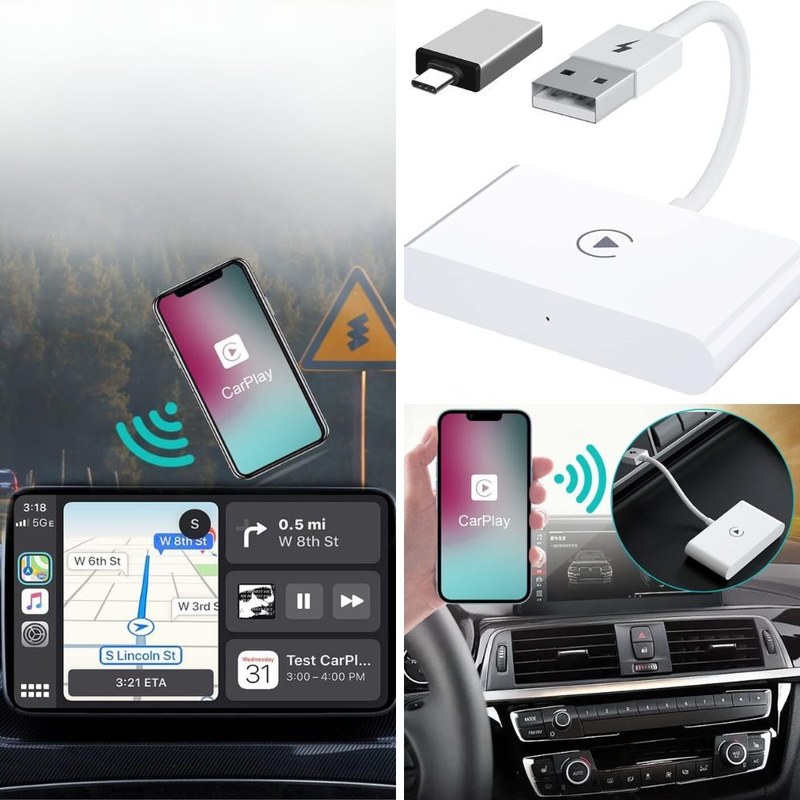
Wireless CarPlay adapters plug into a USB port and pull power from the vehicle’s electrical system. They don’t have internal batteries, so they’re only as “awake” as the port they’re connected to.
Understanding Sleep Mode vs. Always-On USB Ports
Factory USB ports generally fall into two categories. Switched ports cut power when the ignition is off or after a short delay. Always-on ports keep power available even with the car parked and locked. Switched ports are common on newer American and Japanese vehicles. Always-on ports are more common on certain European models and many aftermarket head units.
The adapter doesn’t change which type you have — it just responds to whatever power the port provides. Some adapters have their own sleep logic. When they detect that the phone is no longer connected, they enter a low-power state. But if the port stays live and the adapter keeps its Wi-Fi radio active, it will keep drawing power indefinitely.
Amperage Draw and What It Means for Your Battery
Typical wireless CarPlay adapters draw somewhere in the range of 150 to 500 milliamps while active, and much less in standby. To put that in perspective, a standard car battery typically holds roughly 45 to 70 amp-hours. A 300 milliamp draw over 24 hours uses about 7.2 amp-hours — enough to matter if it happens every single day with no driving in between.
In practice, most adapters on switched ports shut off completely, so this math never applies. But on always-on ports, the cumulative draw is real.
Battery Drain Risks: Separating Fact From Fears
Battery drain from a wireless CarPlay adapter is possible, but it’s not the default outcome. The fear is overblown for most drivers because the adapter only becomes a problem when the port stays live and the adapter stays awake.
Identifying Parasitic Drain on Your 12V Battery
Parasitic drain is any electrical load that continues after the car is off. Common causes include interior lights that don’t shut off, aftermarket alarms, and accessories left in always-on USB ports. Signs of parasitic drain include slow cranking after the car sits for a few days, electronics that reset, or a battery that dies overnight.
If you’re seeing these symptoms, the adapter is one suspect, but not the only one. A multimeter test at the battery can help isolate the draw. Our guide on whether wireless CarPlay adapters drain car batteries covers the testing process in more detail.
Cars With Live USB Ports and How to Test Yours
Testing your USB port takes a few minutes. With the car off and parked, plug a phone or a small USB tester into the port and see if it stays lit. If the light stays on after the car’s systems sleep, you have an always-on port.
Some vehicles keep the port live for 10 to 30 minutes after locking, then cut power. Others keep it live indefinitely. Knowing which one you have determines whether you need to unplug the adapter manually.
If your battery repeatedly dies, don’t assume the adapter is the cause. Have the charging system and battery tested first, and check for other aftermarket accessories on always-on circuits. A failing battery can mimic parasitic drain symptoms.
Heat, Ventilation, and Adapter Placement
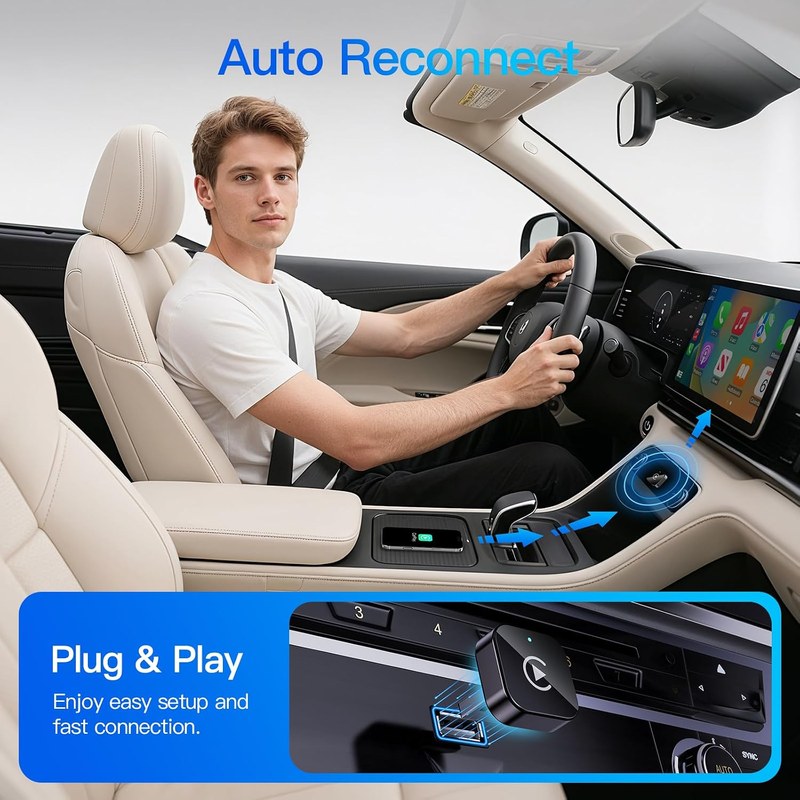
Heat is the more serious long-term threat to a wireless CarPlay adapter. These devices contain compact Wi-Fi and Bluetooth radios, processors, and flash storage — all of which degrade faster at high temperatures.
Why Heat Is the #1 Cause of Adapter Failure
Electronics have rated operating temperatures, and a closed center console in summer can easily climb past 140°F. At those temperatures, the adapter may throttle its performance, disconnect randomly, or fail permanently. Heat damage is also one of the most common reasons an adapter stops being recognized by the car.
Leaving the adapter plugged in doesn’t create heat by itself — the cabin heat does. But leaving it plugged in means it’s always there, baking in every hot parking lot.
Where to Mount the Adapter for Better Airflow
If you’re going to leave the adapter in place, choose a location with airflow. A USB port in the open dash or lower center stack is better than a sealed armrest bin. If your only port is inside the console, consider a short USB extension cable that lets you position the adapter in a cooler, more visible spot. Avoid mounting it behind the dashboard or under heavy trim where heat has nowhere to escape.
In summer, park in the shade when possible, and use a windshield sun shade to reduce the temperature spike inside the cabin — and inside the adapter.
Firmware, Connectivity, and Compatibility Over Time
Leaving the adapter plugged in doesn’t just affect power and heat — it also affects how the adapter behaves over weeks and months of use.
Keeping the Adapter Updated While It Stays Plugged In
Most wireless CarPlay adapters receive firmware updates through a companion app on your phone. These updates improve connection stability, reduce latency, and fix compatibility issues with new iOS versions. If the adapter stays plugged in, updates can install more easily because the device is always powered and ready.
Check the manufacturer’s app every few months for a pending update. Our guide on how to update a wireless CarPlay adapter walks through the process step by step.
Re-Pairing Issues and App Maintenance
Sometimes an adapter that’s been plugged in for weeks suddenly stops connecting. This is usually a software hiccup, not a hardware failure. A quick reset of the adapter often fixes it. If you run into connection loops or pairing failures, our guide on how to reset a wireless CarPlay adapter covers the common reset methods.
It’s also worth checking that your phone hasn’t changed its Wi-Fi settings or forgotten the adapter’s network. iOS updates occasionally reset network preferences, which can break the connection until you re-pair.
Choosing the Right Port and Cable Routing for a Clean Setup
A clutter-free interior starts with choosing the right USB port and routing the cable so it doesn’t dangle across the dash or interfere with the shifter.
Selecting a USB Port That Won’t Interfere With Phone Charging
If your car has multiple USB ports, use one for the adapter and keep another free for charging. Some adapters use the data pins on the port, which means your phone may still charge from a second port while the adapter handles CarPlay.
If you only have one USB port, you’ll need to choose between wireless CarPlay and wired charging. A dual-port 12V adapter with USB outputs can solve this, but verify that the data connection works through the adapter you choose.
Securing the Adapter and Hiding the Cable
A small adhesive mount or double-sided tape can hold the adapter in place so it doesn’t rattle or dangle. Route the cable along existing trim lines using clip-style cable holders. Avoid routing cables across airbags, pedals, or the shifter path.
- Use a short, high-quality USB cable to reduce clutter and signal loss
- Test the adapter in the port you plan to use before securing it permanently
- Keep the adapter visible enough to see its status LED, but out of direct sun
Cleaning and Care for Long-Term Reliability
An adapter that stays plugged in collects dust, and the USB contacts can oxidize over time. A little routine care keeps it working reliably.
Cleaning the Adapter Body and USB Contacts
Wipe the adapter body with a slightly damp microfiber cloth. For the USB contacts, use a dry cotton swab or a contact cleaner made for electronics. Do not use water, spray cleaners, or metal tools that could short the pins. Make sure the adapter is unplugged and the car is off before cleaning.
Inspecting the Cable and Connectors for Wear
Check the cable for kinks, fraying, or bent connector pins every few months. A damaged cable can cause intermittent disconnects or even a short. If the cable shows any signs of wear, replace it with a quality USB cable rated for automotive use.
- Unplug the adapter before cleaning
- Use a dry or slightly damp microfiber cloth
- Inspect the cable and connectors regularly
- Use spray cleaners or solvents on the adapter
- Pry on USB pins with metal tools
- Leave a frayed cable connected
Ownership Cost and Value: Is It Worth Leaving It In?
Leaving the adapter plugged in is convenient, but it also means the adapter is always exposed to heat, power cycles, and the occasional accidental bump. Weighing the convenience against replacement cost helps you decide.
Replacement Costs vs. Convenience
Wireless CarPlay adapters range from budget models to premium models with a significant price spread. If you leave one plugged in and it fails from heat or power surges, replacement cost is on you. On the other hand, plugging and unplugging it every drive adds wear to the USB port and takes time.
For most people, the convenience of leaving it plugged in outweighs the small risk of premature failure. If you park in a hot garage or live in a climate with extreme summers, the math shifts toward unplugging it.
Warranty and Support Considerations
Check the warranty that came with your adapter. Some manufacturers offer a limited warranty, but many require proof of purchase and don’t cover heat damage or power surges. If the adapter fails while plugged in, the warranty may or may not apply depending on the cause.
Keep your receipt and register the product if the manufacturer offers it. That makes a warranty claim much easier if the adapter dies early.
- Instant connection on every drive
- No wear on the USB port from repeated plugging
- Firmware updates install more easily
- Possible battery drain on always-on ports
- Heat exposure in parked cars
- Replacement cost if it fails early
Alternatives to Leaving Your Adapter Plugged In
If you decide that leaving the adapter plugged in isn’t right for your car, there are practical alternatives that keep the cabin clean without constant plugging and unplugging.
When You Should Unplug It Anyway
Unplug the adapter if your USB port stays live for more than an hour after the car is off, if your battery is old or weak, if you park for extended periods like airport lots or vacations, or if your cabin regularly gets extremely hot.
Powering the Adapter Through a Switched Cigarette Lighter Socket
If your USB port is always on but your 12V cigarette lighter socket is switched, you can power the adapter through a quality 12V USB adapter. This gives you the convenience of leaving it plugged in with the peace of mind that power cuts off with the ignition. Verify that the 12V socket is actually switched before relying on it — some vehicles keep the cigarette lighter socket live as well.
Final Recommendation
For most drivers, leaving a wireless CarPlay adapter plugged in is safe, convenient, and the right choice. The two situations that change that answer are always-on USB ports and extreme cabin heat. Test your port, mount the adapter in a ventilated spot, and do a quick firmware check every few months — and you’ll get years of clutter-free wireless CarPlay.
Leave the adapter plugged in if your USB port shuts off with the car and your cabin doesn’t bake in the sun. If your port stays live or you park in extreme heat, unplug it or move it to a switched 12V socket. Either way, a few minutes of testing and smart placement keeps your setup clean and reliable.