
How Wireless CarPlay Adapters Work: Bluetooth, Wi-Fi, and Setup

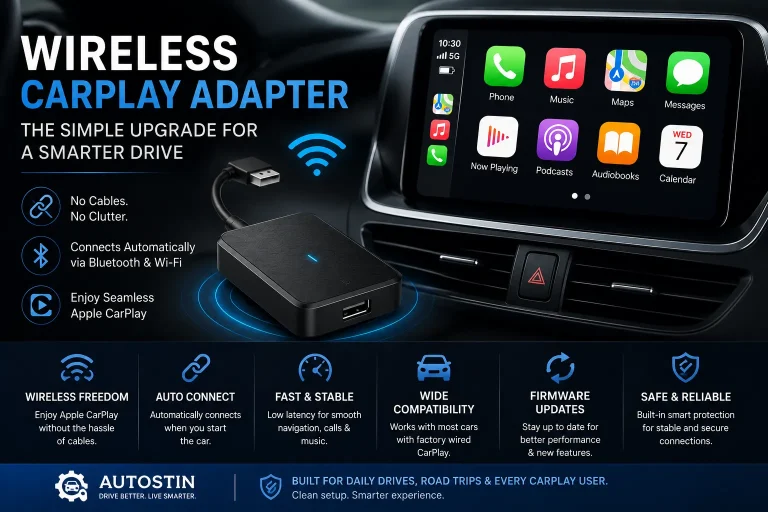
Wireless CarPlay adapters work by plugging into your car’s wired CarPlay USB port, then creating a wireless bridge between your iPhone and the car screen. Bluetooth usually starts the pairing, while Wi-Fi handles the main CarPlay connection for maps, music, calls, messages, and Siri.
A wireless CarPlay adapter does not usually add Apple CarPlay to a car that never had it. It is mainly made to convert factory wired Apple CarPlay into wireless CarPlay, so you can leave your phone in your pocket, bag, or wireless charging tray.
I’m Brandon Walker, and I like car tech that makes daily driving easier without turning the dashboard into a puzzle. A good wireless CarPlay adapter is one of those small upgrades that feels simple once you understand how it works.
If you already use wired CarPlay, you know the routine. Start the car, plug in the phone, wait for the screen, then start driving. A wireless adapter removes the cable from that routine.
What Is a Wireless CarPlay Adapter?
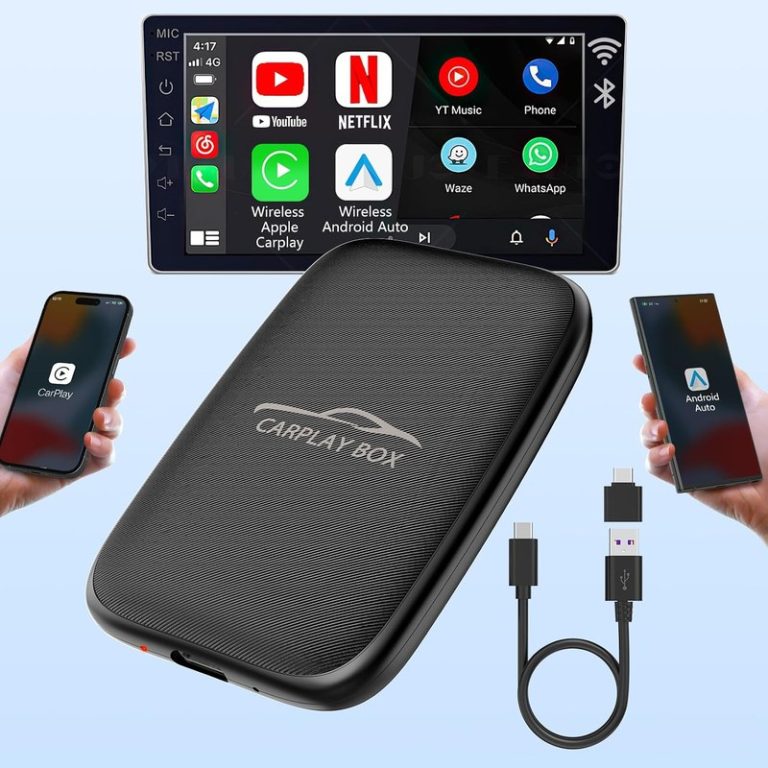
A wireless CarPlay adapter is a small device that plugs into your vehicle’s CarPlay USB port. It tricks the car into thinking a wired iPhone is connected, while your actual iPhone connects to the adapter wirelessly.
The adapter sits between your car and phone. Your car talks to the adapter through USB. Your iPhone talks to the adapter through Bluetooth and Wi-Fi.
This lets your car screen show Apple CarPlay without a cable plugged into your phone. You still use your factory display, steering wheel controls, speakers, microphone, and infotainment system.
If you want more guides on dashboard tech and useful electronics, visit our car electronics section. Wireless CarPlay adapters fit right into that category because they connect phone software with vehicle hardware.
How Do Wireless CarPlay Adapters Work?
Wireless CarPlay adapters work in three simple stages: USB connection, phone pairing, and wireless CarPlay data transfer.
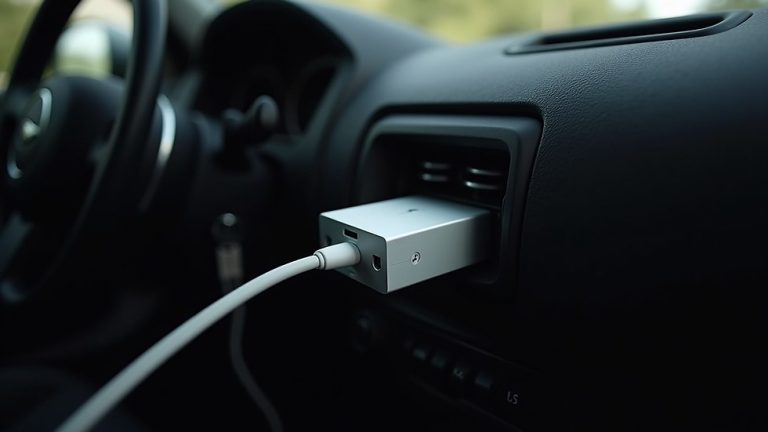
First, the adapter plugs into the car’s USB port. This is the same port that normally starts wired Apple CarPlay.
Second, your iPhone pairs with the adapter. Bluetooth usually helps start this first connection.
Third, the adapter switches the main CarPlay session to Wi-Fi. Wi-Fi has more bandwidth than Bluetooth, so it can handle maps, app screens, audio, Siri, and touch commands more smoothly.
Wireless CarPlay does not run on Bluetooth alone. Bluetooth helps with discovery and pairing, but Wi-Fi usually carries the main CarPlay connection once the adapter and iPhone link together.
What You’ll Need to Use a Wireless CarPlay Adapter
Before you buy or install one, make sure your car is ready. The adapter needs the right base system to work.
Step-by-Step: What Happens When You Start the Car?
Once the adapter is set up, the process should feel automatic. Here is what happens behind the scenes.
When you start the car, the USB port sends power to the wireless CarPlay adapter. The adapter boots up like a tiny computer.
The adapter tells the car’s infotainment system that a CarPlay device is connected through USB.
Your iPhone connects to the adapter using saved Bluetooth and Wi-Fi pairing data from the first setup.
After the handshake, Wi-Fi handles the CarPlay session. This is what lets maps, music, calls, and apps show on the screen.
Your car screen loads Apple CarPlay, and you can use supported apps just like you would with a wired connection.
Why Do Wireless CarPlay Adapters Need Wi-Fi?
Bluetooth is useful, but it is not strong enough for the full CarPlay experience. It works well for simple calls and audio, but CarPlay needs more data.
CarPlay shows maps, app icons, album art, voice prompts, touch input, messages, and navigation movement. That takes more speed and stability.
Wi-Fi gives the adapter enough room to send that data between your iPhone and the car screen. That is why your phone must keep Wi-Fi on, even if you are not connected to home internet.
The adapter’s Wi-Fi connection is usually local. It connects your iPhone to the adapter, not to the internet like a home router.
Wireless CarPlay Adapter vs Built-In Wireless CarPlay
Built-in wireless CarPlay comes from the vehicle factory or the aftermarket head unit. A wireless adapter is an add-on device.
Both can give you cable-free CarPlay, but they are not the same. Factory wireless CarPlay is built into the car’s system. An adapter has to translate the connection through the wired CarPlay port.
| Feature | Built-In Wireless CarPlay | Wireless CarPlay Adapter |
|---|---|---|
| How it connects | Built into the vehicle system | Plugs into wired CarPlay USB port |
| Setup | Pair phone with car | Pair phone with adapter |
| Startup speed | Often faster | May take longer to boot |
| Compatibility | Designed for that vehicle | Depends on adapter and car fitment |
| Best for | Newer vehicles | Cars with wired CarPlay only |
Why Car Owners Use Wireless CarPlay Adapters
The main reason is convenience. You do not have to plug in your iPhone every time you drive.
This is great for short trips. If you are only driving to the store, school, gas station, or gym, plugging in your phone can feel annoying. A wireless adapter makes CarPlay start with less effort.
It also keeps your console cleaner. No cable across the shifter. No loose phone sliding around. No worn-out cord near the cup holders.
For more cabin upgrades that help make daily driving cleaner, check our interior gear picks.
In daily use, the best part of a wireless CarPlay adapter is not the tech spec. It is the habit it removes. I can start the car, leave my phone in my pocket, and still have maps and music ready before I leave the driveway.
Pros and Cons of How Wireless CarPlay Adapters Work
- No need to plug in your iPhone every trip
- Keeps the dashboard and console cleaner
- Uses your factory car screen and controls
- Works well for many cars with wired CarPlay
- Easy to remove or move to another compatible car
- Usually requires existing wired Apple CarPlay
- Can have a startup delay
- May use more iPhone battery than wired CarPlay
- Some models can lag or disconnect
- Compatibility varies by car and adapter brand
Wireless CarPlay Adapter Spec Sheet
Here is a simple spec-style view of what most wireless CarPlay adapters do. Exact features vary by brand and model.
Will a Wireless CarPlay Adapter Work in Any Car?
No. This is the biggest point to understand.
Most wireless CarPlay adapters only work in cars that already have wired Apple CarPlay. If your car only has Bluetooth audio, a basic adapter usually will not add CarPlay.
If your vehicle does not have CarPlay at all, you may need a CarPlay head unit instead of a plug-in wireless adapter.
Before buying, confirm that your vehicle supports wired Apple CarPlay through a USB port. If wired CarPlay does not work with a normal cable, a wireless adapter usually will not work either.
| Vehicle Setup | Will an Adapter Usually Work? | Why |
|---|---|---|
| Car has wired Apple CarPlay | Yes, often | The adapter can convert the wired signal to wireless |
| Car already has wireless CarPlay | Not needed | The feature is already built in |
| Car has Bluetooth only | Usually no | Bluetooth audio is not the same as CarPlay |
| Aftermarket wired CarPlay head unit | Sometimes | Depends on the stereo and adapter support |
| Older car with no screen | No | You need a CarPlay display or head unit first |
How Much Delay Do Wireless CarPlay Adapters Have?
Some delay is normal. A wired cable is usually faster because the phone connects directly to the car. A wireless adapter has to boot up, connect to the phone, and pass data between two systems.
Many drivers notice a short delay when starting the car. Some also notice a tiny delay when skipping songs or making calls.
A good adapter should still feel smooth for maps, music, and normal daily use. A poor adapter may feel slow, freeze, or disconnect.
If your adapter has heavy lag, the cause may be old firmware, weak adapter hardware, a slow infotainment system, poor USB power, or wireless interference inside the cabin.
How Much Does a Wireless CarPlay Adapter Cost?
Wireless CarPlay adapters come in different price ranges. Cheap models can work, but they may have weaker support or slower software.
I usually look for a balance between price, reviews, firmware updates, and clear compatibility information.
If you enjoy practical gear upgrades, Autostin covers simple car accessories, tech, and tools for everyday drivers.
Before You Buy: Checklist
- Confirm your car has wired Apple CarPlay.
- Check whether your CarPlay port is USB-A or USB-C.
- Look for your exact vehicle make, model, and year.
- Check if the adapter supports firmware updates.
- Read recent reviews from drivers with the same car.
- Make sure the seller has a clear return policy.
- Decide if you need CarPlay only or CarPlay plus Android Auto.
Install Tips for Wireless CarPlay Adapters
Most adapters are simple to install, but a few small habits can save you trouble.
- Use the USB port that already works with wired CarPlay.
- Keep Bluetooth and Wi-Fi turned on before starting the car.
- Pair only one phone first during setup.
- Let the car screen fully boot before judging connection speed.
- Update firmware only through the official brand method.
- Use a short cable if the adapter hangs awkwardly from the dash.
If the adapter will not connect, test wired CarPlay with a normal cable first. If wired CarPlay fails, fix the car USB port, cable, or iPhone CarPlay setting before blaming the adapter.
Are Wireless CarPlay Adapters Safe to Use?
A wireless CarPlay adapter is usually safe when installed and used correctly. The bigger concern is driver distraction.
Set your route before you move. Use voice control when possible. Do not pair, reset, or update the adapter while driving.
The NHTSA distracted driving guidance is a good reminder that any screen can pull your attention away from the road. CarPlay can help, but only if you use it wisely.
Do not troubleshoot, pair, reset, or update a wireless CarPlay adapter while driving. Park first. A few minutes in the driveway is safer than fighting with a screen in traffic.
Common Wireless CarPlay Adapter Problems
Most adapter problems come from pairing, power, compatibility, or firmware. The table below shows what to check first.
| Problem | Likely Cause | Simple Fix |
|---|---|---|
| Adapter will not show on screen | Wrong USB port | Use the USB port that supports wired CarPlay |
| Phone will not connect | Old Bluetooth or Wi-Fi pairing | Forget the adapter and pair again |
| Wrong phone connects | Multiple saved phones | Turn off Bluetooth on the other phone or clear pairings |
| Audio delay | Wireless lag or old firmware | Restart the adapter and check for updates |
| Random disconnects | USB power, firmware, or compatibility issue | Try another cable, reset, or contact support |
What Features Should You Look For?
Do not choose only by the lowest price. The best wireless CarPlay adapter for you is the one that works with your exact vehicle and iPhone.
Look for fast auto-connect, low lag, firmware updates, strong reviews, and clear compatibility notes. Trusted car tech sources like Edmunds car technology guides, Car and Driver, and Popular Mechanics car coverage can also help you understand how in-car technology changes the driving experience.
| Feature | What It Means | Why It Matters |
|---|---|---|
| Auto-connect | Adapter connects after the car starts | Makes daily use easier |
| Firmware updates | Brand can fix bugs over time | Helps with iOS and vehicle changes |
| USB-A and USB-C support | Works with more port types | Useful for different vehicles |
| Low latency | Less delay between phone and screen | Better music, maps, and calls |
| Clear fitment list | Shows supported vehicles | Reduces buying mistakes |
Do’s and Don’ts for Using a Wireless CarPlay Adapter
- Do check vehicle compatibility first.
- Do keep Bluetooth and Wi-Fi turned on.
- Do use the correct CarPlay USB port.
- Do update firmware when the brand recommends it.
- Do test the adapter before a long trip.
- Don’t buy one for a car with no CarPlay at all.
- Don’t pair several phones during the first setup.
- Don’t update or reset while driving.
- Don’t ignore repeated overheating or disconnects.
- Don’t assume every adapter works with every head unit.
Can Multiple Phones Use One Wireless CarPlay Adapter?
Many adapters can remember more than one phone, but most only connect to one phone at a time.
In a family car, this can cause confusion. The adapter may connect to the last phone used or the first phone it finds.
If you share your car, look for an adapter with easy phone switching. You can also turn off Bluetooth on the phone you do not want connected.
If the wrong phone keeps connecting, clear the saved phones from the adapter and pair the main driver’s iPhone first. This often fixes wrong-phone auto-connect problems.
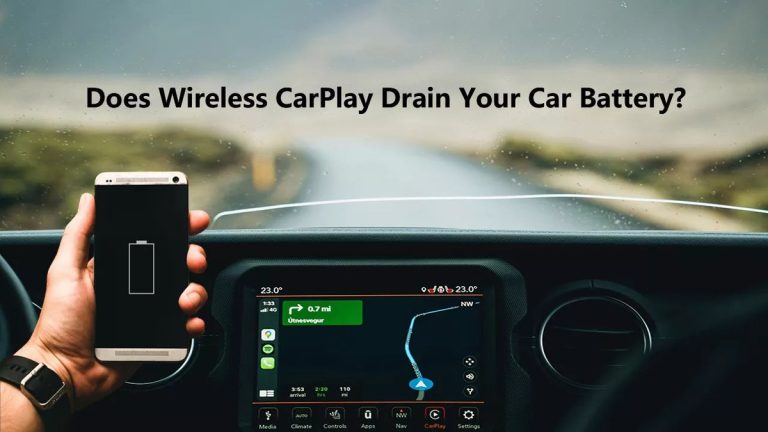
Do Wireless CarPlay Adapters Drain Battery?
A wireless adapter uses power from the car’s USB port. While driving, this is usually not a problem.
The bigger question is whether your USB port stays powered after the car shuts off. If the adapter light stays on for hours, unplug it or check your vehicle settings.
Your iPhone may also use more battery than it does with wired CarPlay because it is using wireless connections and not charging by cable. A separate charger or wireless charging pad can help.
For more useful gear that helps in daily driving, you may also like our garage essentials section.
Should You Use a Wireless CarPlay Adapter?
You should consider one if your car has wired CarPlay and you use it often. It is a simple comfort upgrade for commuting, errands, and road trips.
You may skip it if your car already has wireless CarPlay, if you prefer charging by cable, or if your vehicle has known adapter compatibility issues.
- Wireless CarPlay adapters work by bridging your iPhone to wired CarPlay through USB, Bluetooth, and Wi-Fi.
- Bluetooth usually starts the connection, while Wi-Fi carries the main CarPlay session.
- Most adapters require a car that already has wired Apple CarPlay.
- They are best for convenience, cleaner cabins, and short daily drives.
- Compatibility matters more than brand hype or cheap pricing.
A wireless CarPlay adapter works by turning your car’s wired CarPlay port into a wireless connection point for your iPhone. If your car already has wired CarPlay, a good adapter can make your daily drive cleaner and easier. Check compatibility first, install it safely, and test it before relying on it for long trips.
FAQ About How Wireless CarPlay Adapters Work
They plug into your car’s wired CarPlay USB port and connect to your iPhone using Bluetooth and Wi-Fi to show CarPlay on the car screen.
They usually use both. Bluetooth helps start pairing, while Wi-Fi handles the main CarPlay data connection.
Usually no. Most adapters need a car that already supports wired Apple CarPlay through a USB port.
Some do, but not all. Check the head unit model and adapter compatibility list before buying.
The adapter has to boot, talk to the car, find your iPhone, and start the wireless CarPlay session. A short delay is normal.
Most adapters can remember more than one phone, but they usually connect to only one active phone at a time.
Yes, they can be worth it if your car has wired CarPlay and you want a cleaner, cable-free setup for daily driving.
Conclusion: The Simple Way to Understand Wireless CarPlay Adapters
So, how do wireless CarPlay adapters work? They plug into the car’s wired CarPlay USB port, pair with your iPhone, and use Wi-Fi to run Apple CarPlay without a cable.
They are not meant for every car. They work best when your vehicle already has wired Apple CarPlay, your USB port is healthy, and the adapter is compatible with your infotainment system.
My advice is simple. Check your vehicle first, buy an adapter with clear compatibility support, and test it around town before a long road trip. When the right adapter works well, it makes your car feel newer, cleaner, and easier to live with every day.
2 Comments