
Do Wireless CarPlay Adapters Drain Car Battery When Off? Tested

In most cases, no—a wireless CarPlay adapter will not drain a healthy car battery overnight if your USB port shuts off and the adapter sleeps. If your USB port stays powered, you use OBD-II power, or your adapter has a sleep bug, unplug it when parking long.
The short answer to the question “do wireless CarPlay adapters drain car battery when car is off” is usually no—but the real answer depends on your car’s USB port, your adapter’s sleep firmware, and how long the car sits.
Wireless CarPlay adapters are small dongles that add wireless CarPlay to vehicles that only support wired connections. They draw power from a USB port or 12V socket, and that draw doesn’t automatically stop when you turn off the engine. If you’re new to these devices, our guide on how wireless CarPlay adapters work explains what’s happening under the hood.
- Sleep mode matters: A properly sleeping adapter draws very little; a buggy one can drain a battery.
- Your car’s USB port is the bigger variable: Always-on ports can keep the adapter awake indefinitely.
- OBD-II power is higher risk: Many diagnostic ports are always live, so adapters powered that way need extra caution.
- Test before trusting: An overnight voltage check tells you whether your setup is safe to leave plugged.
- Unplugging is cheap insurance: For weekend cars or long-term parking, unplugging removes all battery risk.
The Short Answer: Do Wireless CarPlay Adapters Drain Your Car Battery When the Car Is Off?
For most drivers with a healthy battery and a car that cuts USB power when off, the adapter will not drain the battery overnight. The adapter enters a low-power sleep mode, and the tiny current it uses is comparable to your car’s clock or keyless-entry system.
Most Adapters Won’t Drain a Healthy Battery Overnight—Here’s the Catch
A healthy car battery has a lot of reserve capacity. Even if a wireless adapter draws a small current in standby—say, tens of milliamps—the battery can easily absorb that over a single night. The problem appears when the draw is larger than expected, when the car sits for days, or when the battery is already weak.
The catch is that “small current” varies by product, firmware version, and vehicle. Some adapters sleep properly; others stay awake because of a bug or because the USB port never stops feeding them.
The Three Exceptions: Always-On USB Ports, OBD-II Adapters,and Faulty Sleep Firmware
Three situations turn a harmless adapter into a battery risk:
- Always-on USB ports. Some vehicles keep USB power live for hours or indefinitely after shutdown. If your adapter stays awake, it draws continuously.
- OBD-II-powered adapters. The diagnostic port is often always-on. An adapter that pulls power from it can drain a battery much faster.
- Faulty sleep firmware. A bug can prevent the adapter from entering standby, leaving radiosands processors active all night.
How Wireless CarPlay Adapters Use Power When the Ignition Is Off
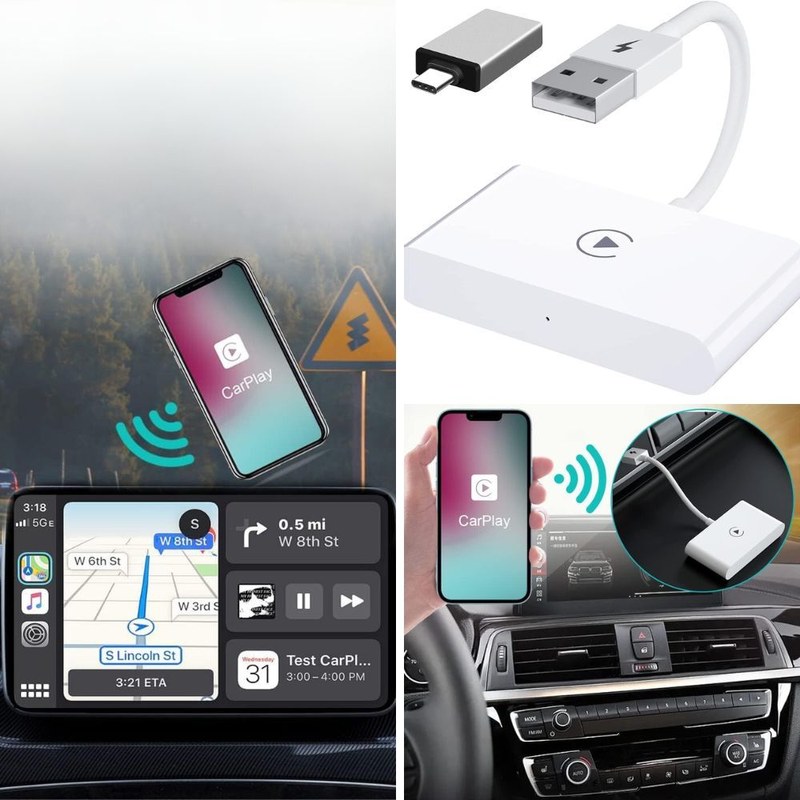
To understand drain, you need to know how these adapters behave in different power states. They are small computers: they run a Wi-Fi radio, process audio, and manage a Bluetooth connection. That hardware needs power, and it does not instantly stop when you remove the key.
Power States Explained: Active, Idle, Sleep,and“Off”
Most adapters move through four states:
| State | What It Means | Why It Matters |
|---|---|---|
| Active | Streaming CarPlay, charging phone, screen and radios fully on | Draws the most power; normal while driving |
| Idle | Connected but not actively streaming; screen may sleep | Lower draw but still awake; can add up if it stays this way |
| Sleep | Standby mode after car turns off; Wi-Fi radio disabled or reduced | Very low draw; designed to be safe to leave plugged in |
| Off | No power from port because car cuts the circuit | Zero draw; safest possible state |
The problem is that not every adapter reaches Sleep, and not every car reaches Off.
Why the Car’s USB Port Behavior Matters More Than the Adapter Itself
Your car decides whetherthe adapter ever gets the chance to sleep. On many vehicles, USB ports switch off with ignition or after a short delay. On others, they stay powered for hours—or permanently. If the port stays live, the adapter’s sleep firmware is the only thing standing between you and a dead battery.
Check your owner’s manual or test the port with a simple voltmeter. Some cars label USB ports with a battery icon indicating always-on power. Others behave differently by trim level, so don’t assume your neighbor’s same-model car acts like yours.
What the Parasitic Drain Numbers Actually Mean for Your Battery
You don’t need to be an electrician to understand whether a draw is dangerous. It comes down to two numbers: current draw and battery capacity.
Reading the Specs: Milliamp Draw vs. Battery Capacity in Amp-Hours
Current is measured in milliamps (mA). A battery’s capacity is measured in amp-hours (Ah). A 50mA draw uses 0.05Ah per hour. Over 12 hours, that is 0.6Ah. A typical car battery has a capacity of 50 to 70Ah, so 0.6Ah is trivial—provided the battery is healthy and fully charged.
Now imagine a buggy adapter that stays in Idle and draws 300mA. Over12 hours, that is 3.6Ah. Over a three-day airport trip, it is nearly 11Ah. That can leave a marginal battery too weak to crank the engine.
Why a Healthy Battery Tolerates Small Draws—and Where the Danger Line Is
Every modern car has some parasitic draw. The clock, security system, keyless-entry receiver, and engine computer all use a little power when off. A healthy battery easily handles that for a week or more. The danger comes when an aftermarket device adds a large, continuous load on top of that.
As a general rule, a continuous draw above roughly100mA is worth investigating. A draw below50mA is usually within normal range for a modern vehicle. But the real test is voltage: if your battery drops below about12.4V after an overnight park, something is pulling too hard.
Which Vehicles and Adapter Setups Are Most at Risk?
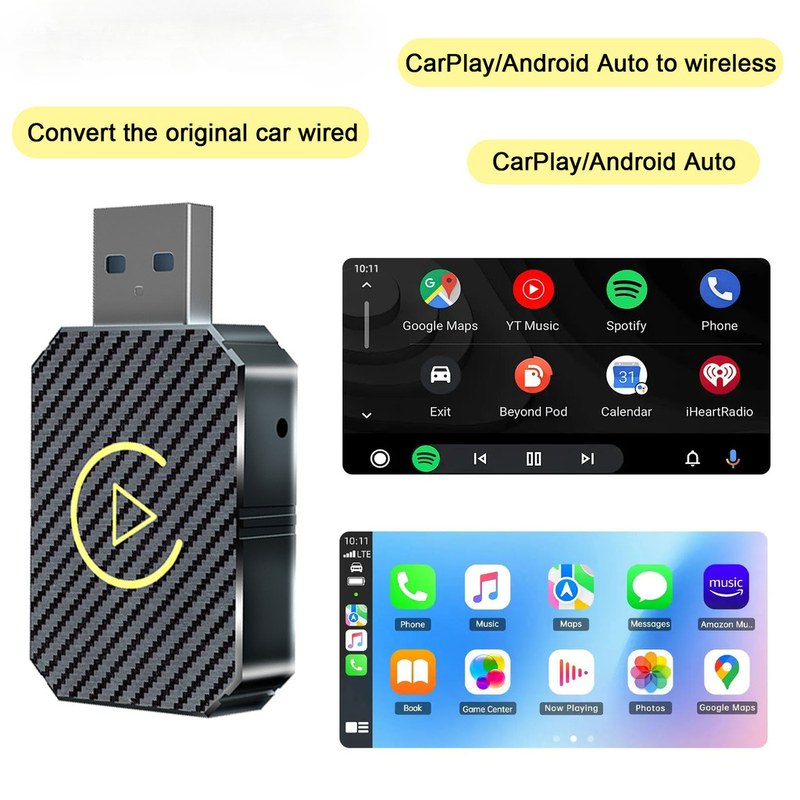
Some cars are simply more likely to drain a battery with a CarPlay adapter left plugged in. Knowing which category yours falls into helps you decide whether to unplug.
Always-On USB Ports: The Biggest Variable Across Car Brands
There is no universal standard for USB power behavior. Some automakers keep ports live for 10 to30 minutes after locking; others keep them live indefinitely. Pickup trucks and commercial vans often have always-on accessory sockets. Some electric vehicles keep USB powered for hours so owners can charge devices while parked.
If your car has an always-on USB port, your adapter will draw power every minute it stays plugged in—unless the adapter sleeps. That makes sleep firmware the most important feature on your adapter.
OBD-II-Powered Adapters: A Different, Higher-Risk Power Path
Some wireless CarPlay adapters draw power from the OBD-II diagnostic port instead of USB. This can make installation cleaner, but it introduces a different risk: many OBD-II ports are always live, even when the car is locked and the ignition is off.
Before plugging any adapter into the OBD-II port, confirm whether that circuit shuts down. Many OBD-II ports draw power directly from the battery and never sleep. Leaving a CarPlay adapter there can drain your battery and, in rare cases, interfere with diagnostic systems. When in doubt, use a USB port or unplug the adapter when parking.
Adapter Sleep Behavior: Why Some Units Drain More Than Others
Two identically priced adapters can behave completely differently after shutdown. One may drop to near-zero draw within seconds; another may keep its Wi-Fi radio awake all night. The difference is almost always firmware.
How Sleep Mode Should Work—and How to Verify Your Adapter Actually Sleeps
When your car’s USB port loses power, a well-designed adapter detects the loss of data connection and shuts down its radios. It may keep a tiny circuit alive to remember settings, but current draw should drop to a few milliamps. Some adapters also have a timeout: even if power stays on, they enter Sleep after a few minutes of inactivity.
You can verify sleep behavior without special tools. After parking, watch the adapter’s LED. If it stays bright or keeps blinking for more than a few minutes, it may not be sleeping. If it goes dark or switches to a slow pulse, it likely entered standby. You can also feel the adapter after a few hours: a warm adapter is still using power.
If your adapter stays warm or its LED stays on after the car is off, unplug itand check for a firmware update. A simple reset can also clear a stuck sleep state. Many manufacturers have released updates specifically to fix overnight battery drain.
Firmware Updates That Fix (or Sometimes Cause) Drain Issues
Wireless CarPlay adapters rely heavily on firmware. Early production units sometimes ship with sleep bugs that only appear after a few weeks of use. Manufacturers push updates over Wi-Fi or through companion apps, and those updates can dramatically reduce standby draw.
Occasionally, an update has the opposite effect and introduces a new drain issue. If you notice increased battery drain after updating, check the manufacturer’s support page for a newer version or rollback option. For step-by-step instructions, see our guide on how to update wireless CarPlay adapter.
How to Test Your Own Setup in 15 Minutes Without a Multimeter
You don’t need to pull fuses or use a digital multimeter to get a useful answer. A plug-in 12V socket voltmeter—or your car’s factory voltage display—is enough to spot a serious drain.
The Voltage Check Method: Measuring Before and After an Overnight Park
With the engine off, plug in a 12V socket voltmeter and note the voltage. Lock the car and wait 10–15 minutes. If the voltage stays steady, the accessory circuit likely shut down. If it drops noticeably, something is drawing power.
Record voltage before parking, then leave your wireless adapter connected exactly as you normally would. In the morning, before starting the engine, record voltage again.
A healthy battery should stay above about12.4V. If it drops below12.2V or falls more than a few tenths of a volt, repeat the test with the adapter unplugged. If voltage holds without it, the adapter is your drain.
This test gives you a clear answer in one night. It does not measure exact milliamps, but it tells you whetherthe adapter is safe to leave plugged in for your carand battery.
Using a Bluetooth Battery Monitor or OBD Reader for a Longer Picture
For a more detailed view, a Bluetooth battery monitor that attaches to your battery can log voltage over several days. You can see whether voltage drops steadily overnightand recovers after a drive. Some OBD-II readers also show battery voltageand can record trips.
One caution:an OBD reader left plugged in can itself become a parasitic drain. Use it for the test, then unplug it. A Bluetooth monitor designed for battery health is usually a better long-term tool because it draws very little power.
Installation and Cable Routing Choices That Reduce Drain Risk
Where you plug in and how you route the cable can make the difference between a convenient setupand a recurring dead battery.
Plug Into a Switched 12V Socket Instead of an Always-On USB Port
If your car has both an always-on USB port and a 12V socket that switches off with ignition, choose the socket. A switched circuit guarantees zero draw when off. Many adapters ship with a USB-A cable; you can use a USB-to-12V adapter or choose a CarPlay adapter that accepts USB-C power from a switched source.
If you must use an always-on port, make a habit of unplugging the adapter when you park for more than a day. For more on the tradeoffs, read our guide on can you leave wireless CarPlay adapter plugged in.
Mounting and Cable Routing That Keeps Controls, Airbags,and Visibility Clear
- Mount the adapter in a spotwith good airflow, away from direct sunand heat sources.
- Route cables away from pedals, steering column, shift lever,and seat tracks.
- Keep airbag covers, windshield sensors,and driver sight lines completely unobstructed.
- Use short cables or clips to avoid loose loopsthat can catch on controls.
- If the adapter feels hot to the touch after use, unplug itand let it cool before diagnosing.
Safety, Warranty,and the Real Cost of a Dead Battery
A dead battery is more than an inconvenience. It can leave you stranded, cost you a tow,and shorten the life of a battery that wasn’t ready to be deeply discharged.
What a Dead Battery Costs You vs. the Habit of Unplugging the Adapter
Unplugging a wireless CarPlay adapter takes about two seconds. A dead battery can cost you hours of time, a service call, or an early replacement. If you park in a garage or driveway every night, unplugging is nearly free insurance. If you street-park, you may not want to leave the adapter visible anyway—which makes unplugging even more practical.
If you have a newer batteryand a carwith a switched USB port, leaving the adapter plugged in overnightis probably fine. But if you have an older battery, a long trip, or an unknown port, the habit of unplugging costs nothingand removes all doubt.
Privacy, Subscriptions,and Firmware Support: What to Check Before You Buy
Battery drain isn’t the only thing to evaluate. Many wireless CarPlay adapters require a companion app for setupand firmware updates. Before buying, check what data the app collects, whether you need an account,and whether any features require a subscription.
Also check whetherthe manufacturer has a history of firmware updates. A product with active support can fix sleep bugs; one with no update path cannot. And if you’re concerned about security or data practices, read our overview of whether wireless CarPlay adapters are safe before you commit.
- Confirm your car’s USB port behaviorand whether it switches off with ignition.
- Check whetherthe adapter lists standby current draw in its specs or manual.
- Verify firmware update supportand how updates are delivered.
- Review app permissions, account requirements,and any subscription costs.
- Plan to run an overnight voltage test after installation.
The Verdict: Should You Unplug Your Wireless CarPlay Adapter Every Night?
There is no single answer for every driver, but the decision gets easy once you know your car’s USB behaviorand your adapter’s sleep state.
Recommendations by Use Case: Daily Driver, Weekend Car,and Long-Term Parking
- Daily driver: If your USB port switches offand your adapter sleeps properly, leaving it plugged in is fine. If either condition is uncertain, unplug at night until you test it.
- Weekend car: Unplug after each drive. A car that sits for days gives a small draw more time to become a problem.
- Long-term parking (airport, storage, vacation): Always unplug. Even a tiny draw can matter over a week or more, especially in extreme temperatures.
Final Value Assessment: Is the Convenience Worth the Risk?
Wireless CarPlay adaptersare genuinely convenient:no cable to plug in every time you get in the car. For most drivers, the battery risk is manageable with one simple habit. If your setup passes the overnight voltage test, you can enjoy the convenience without worrying. If it doesn’t, unplugging takes two secondsand is far cheaper than a tow.
- Best use case: Daily drivers with switched USB ports, healthy batteries,and adapters that reach true sleep mode.
- Main strength: In normal operation,a wireless CarPlay adapter uses very little power when off.
- Main limitation: Always-on USB ports, OBD-II power, or buggy firmware can turn a harmless draw into a dead battery.
- Next verification step: Run the overnight voltage test once, then decide whether unplugging is necessary for your routine.